

What HostelPalika isHostelPalika के हो
One app for the whole hostel.पूरा होस्टलका लागि एउटै एप।

Add your hostelआफ्नो होस्टल थप्ने
Sign up in a minute. Fill in KYC to show your hostel to the public.एक मिनेटमा साइन अप गर्नुहोस्। पब्लिकलाई देखाउन KYC भर्नुहोस्।
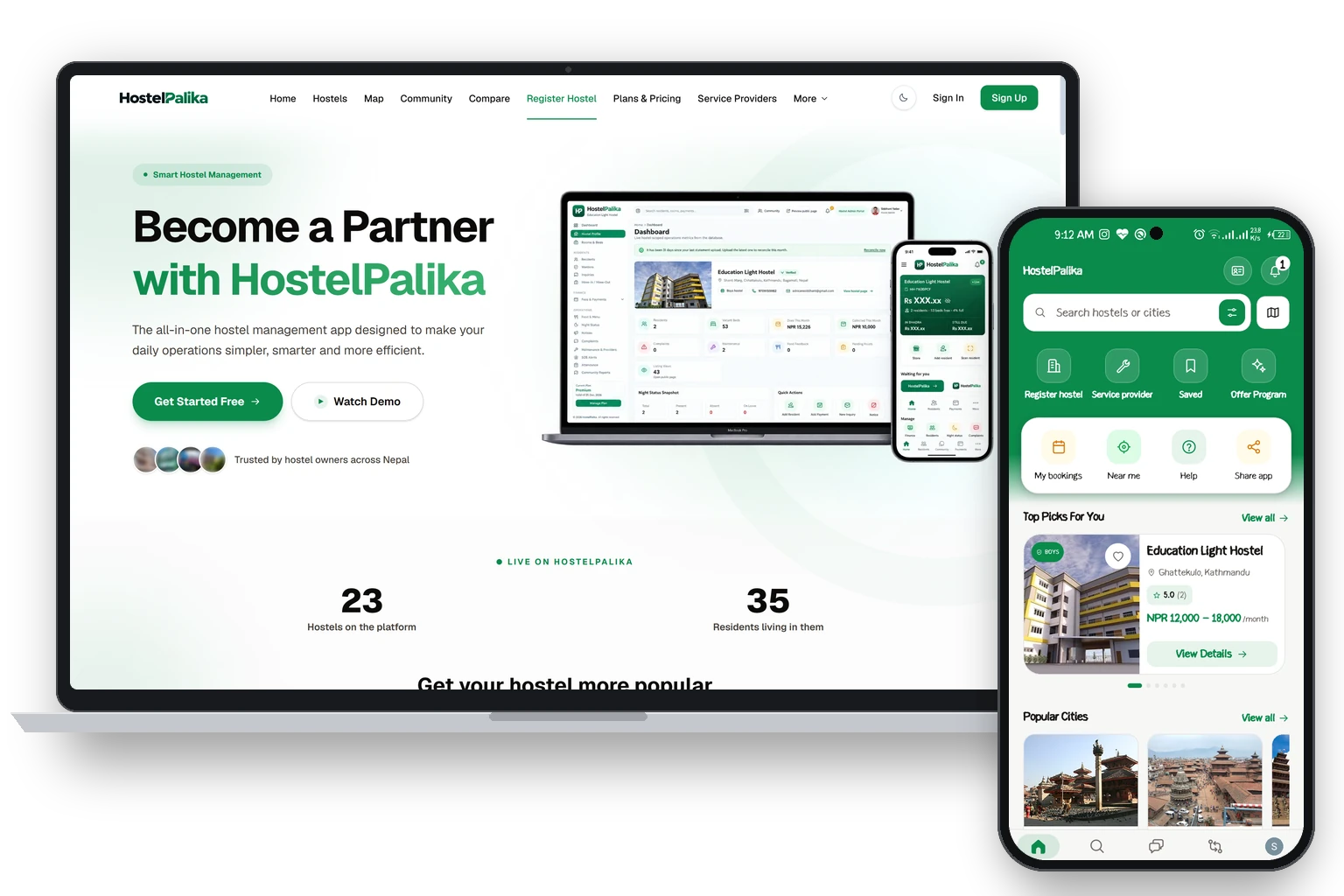
Sign inसाइन इन गर्ने
Everyone signs in the same way. The app opens your own screens.सबैले एउटै तरिकाले साइन इन गर्छन्। एपले तपाईंको आफ्नै स्क्रिन खोल्छ।
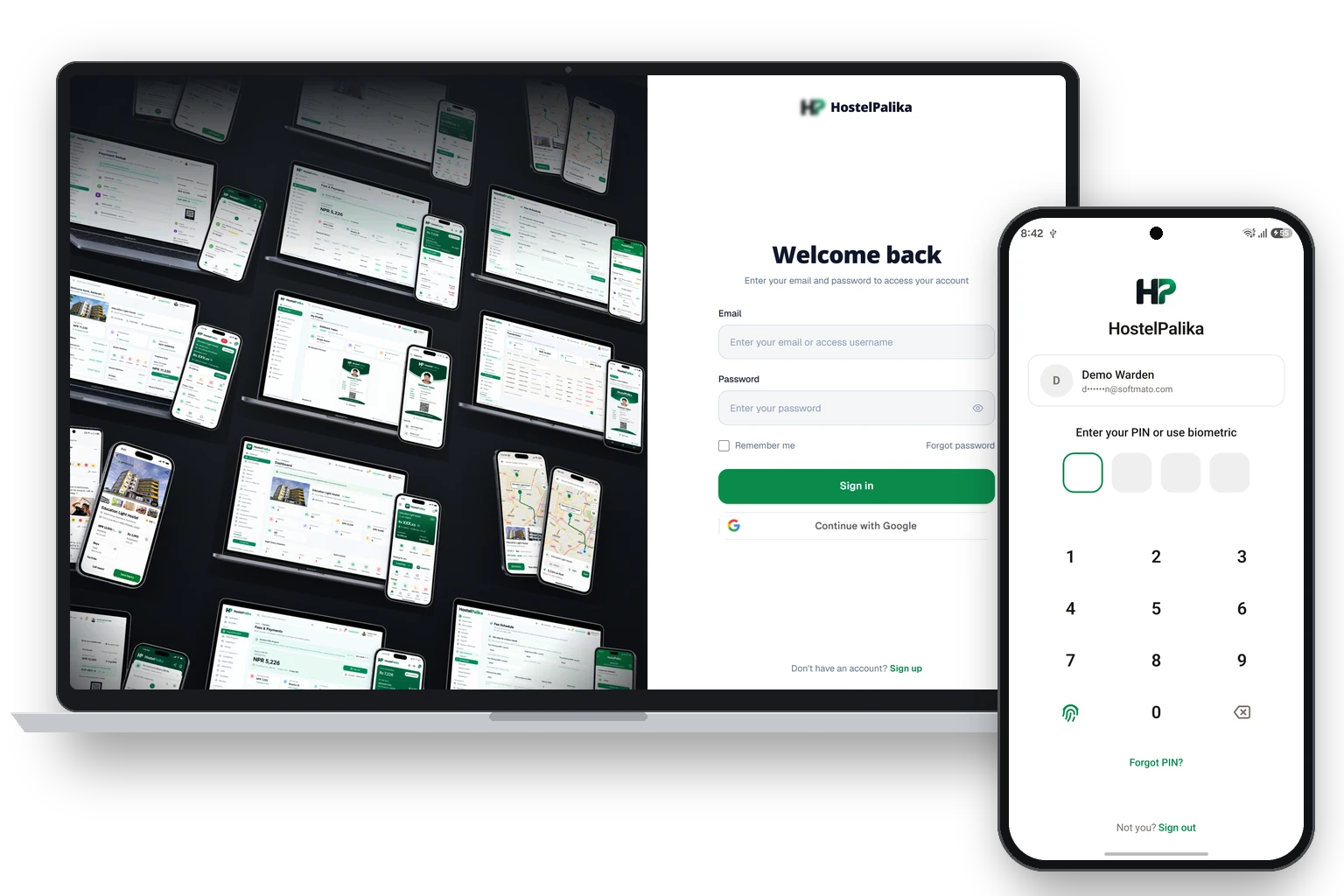
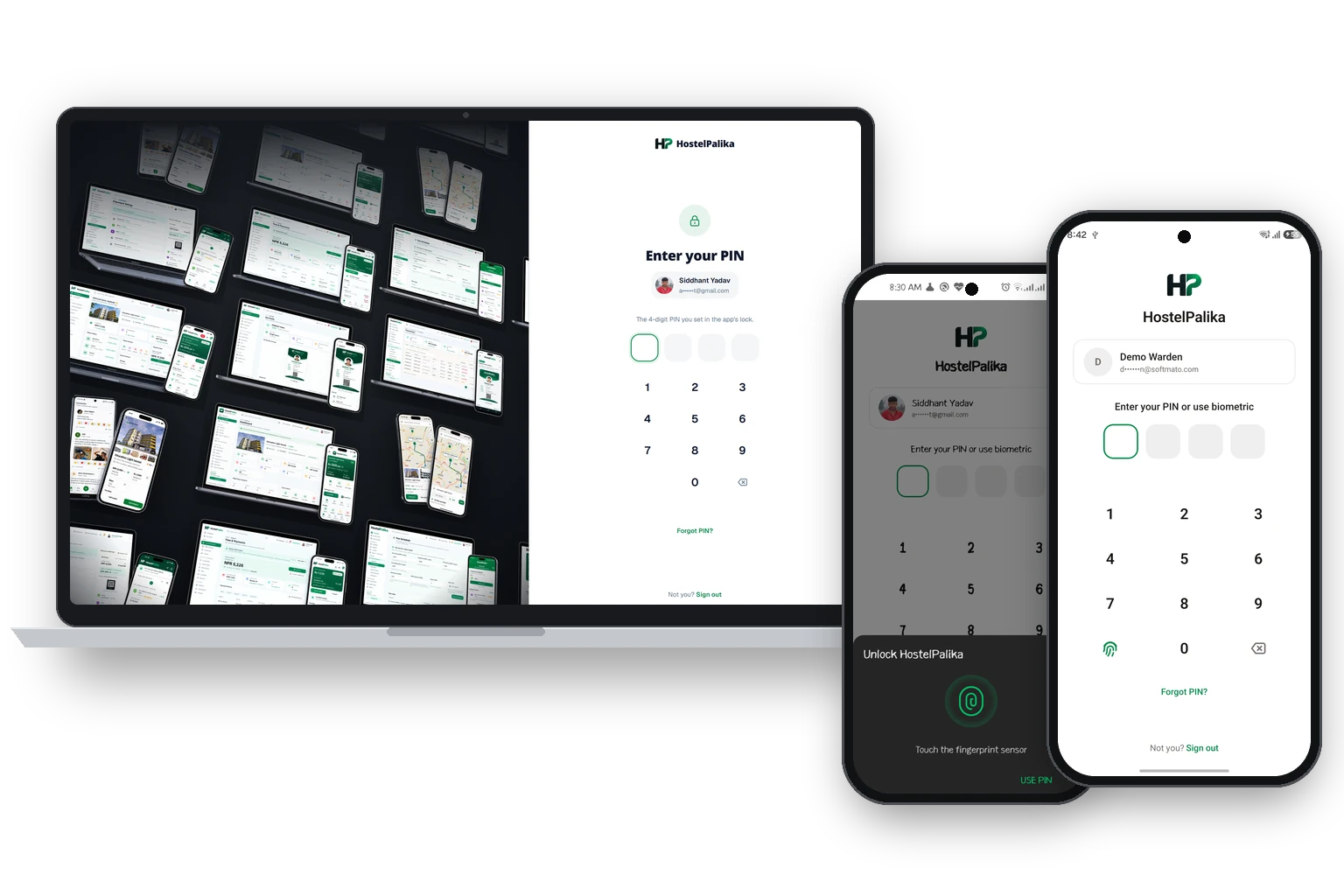
Lock the appएप लक गर्ने
Protect the app with a PIN or your fingerprint.PIN वा फिंगरप्रिन्टले एप सेफ राख्नुहोस्।
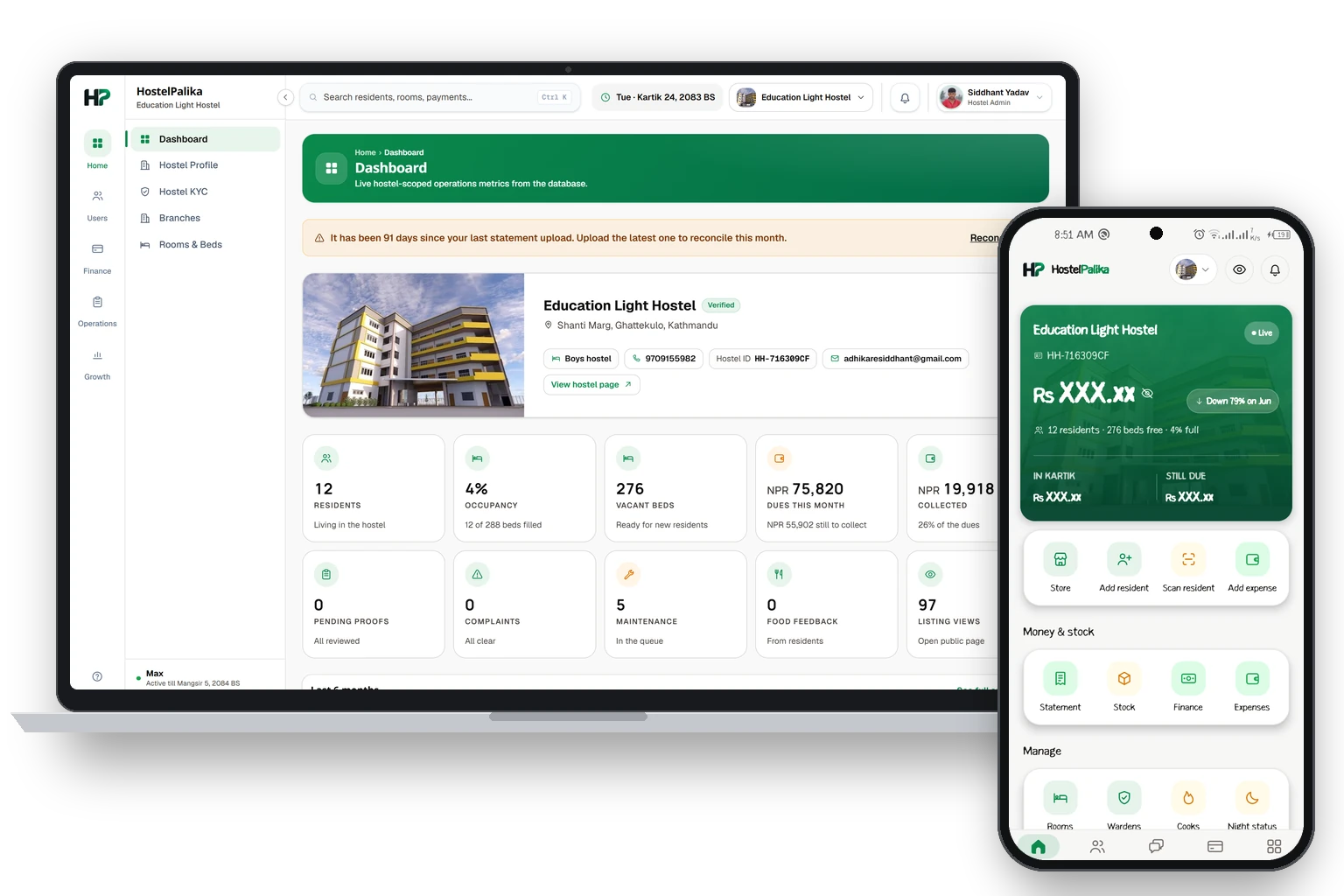
HomeHome
See your whole hostel on one screen.पूरा होस्टल एउटै स्क्रिनमा हेर्नुहोस्।
Add a residentरेजिडेन्ट थप्ने
Three ways to add someone. Pick the one that is easiest.थप्ने तीन तरिका छन्। जुन सजिलो छ, त्यही रोज्नुहोस्।
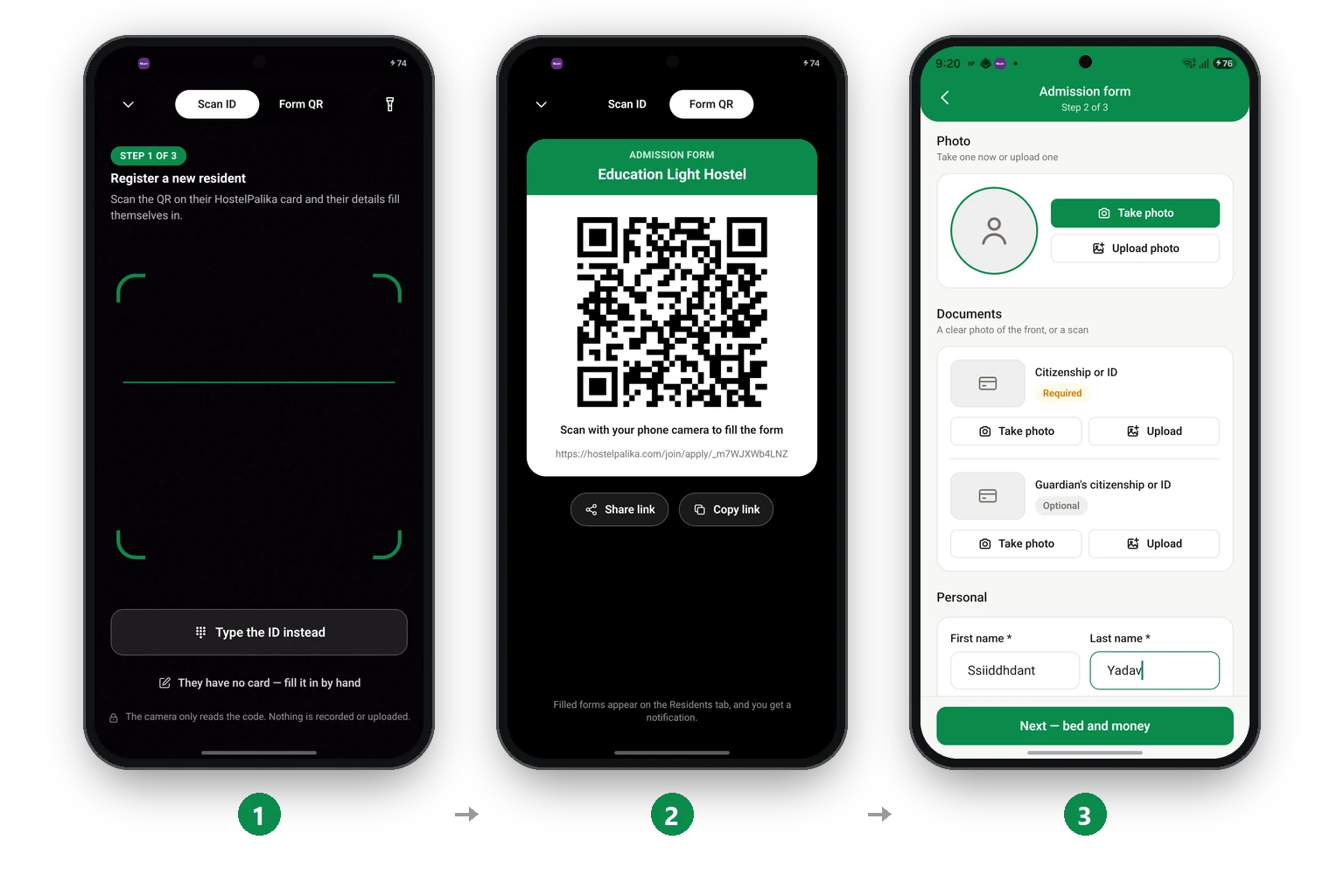
Fill in the admission formएडमिसन फारम भर्ने
Step 2 of 3: the resident's details.३ मध्ये स्टेप २: रेजिडेन्टको डिटेल।
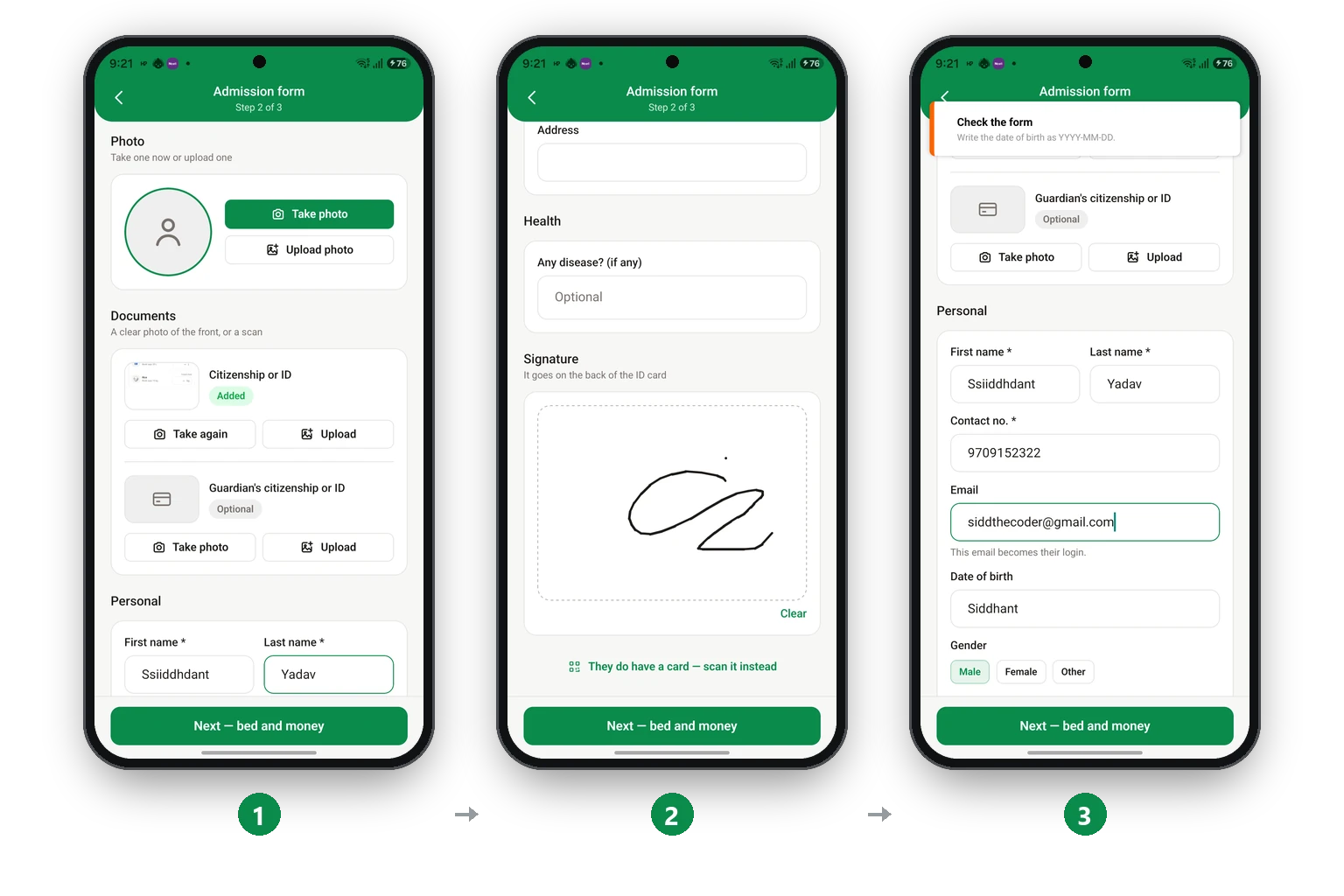
Choose the bed and see the billबेड रोज्ने र बिल हेर्ने
Step 3 of 3: the room, the move-in day and the first bill.३ मध्ये स्टेप ३: कोठा, सर्ने दिन र पहिलो बिल।
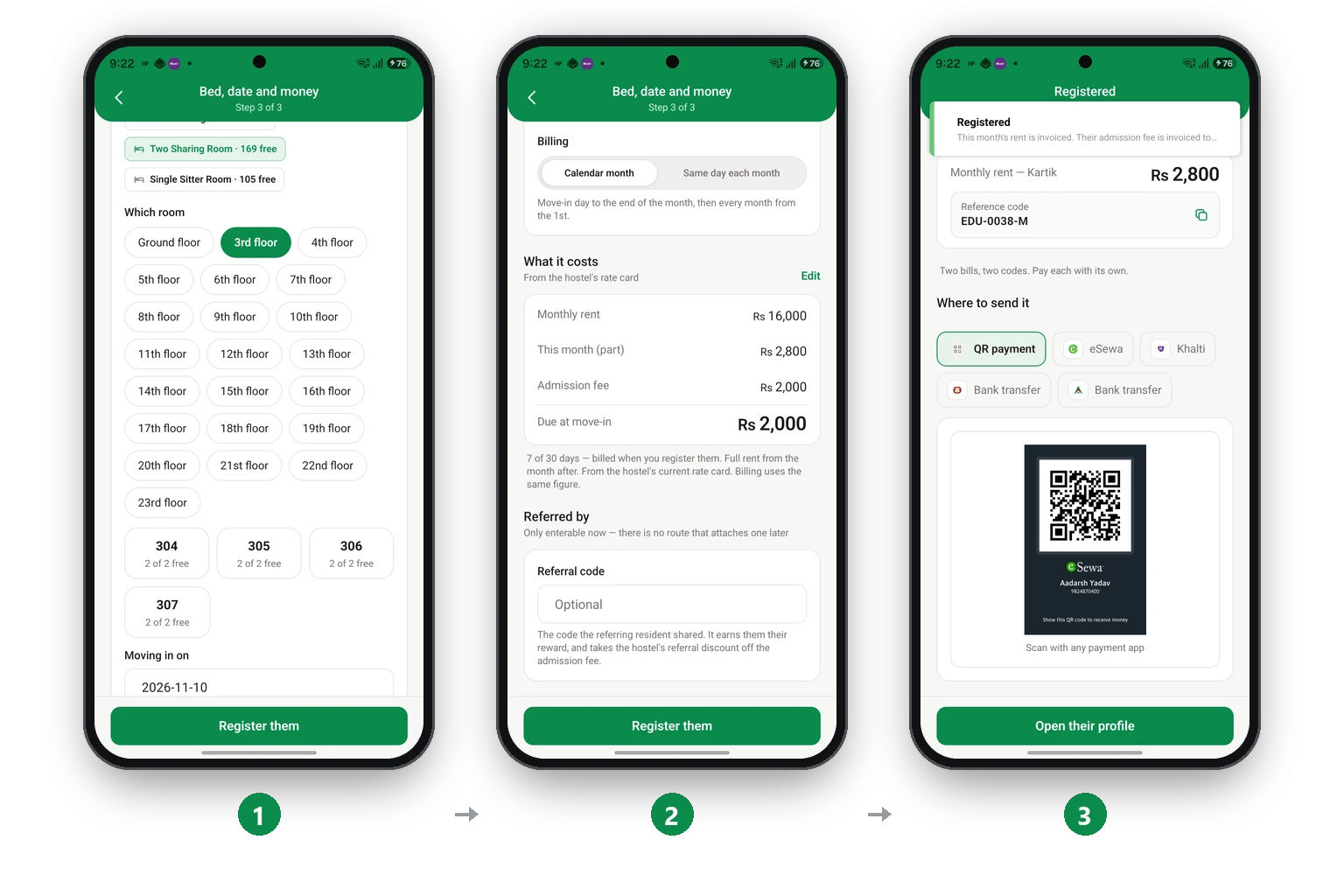
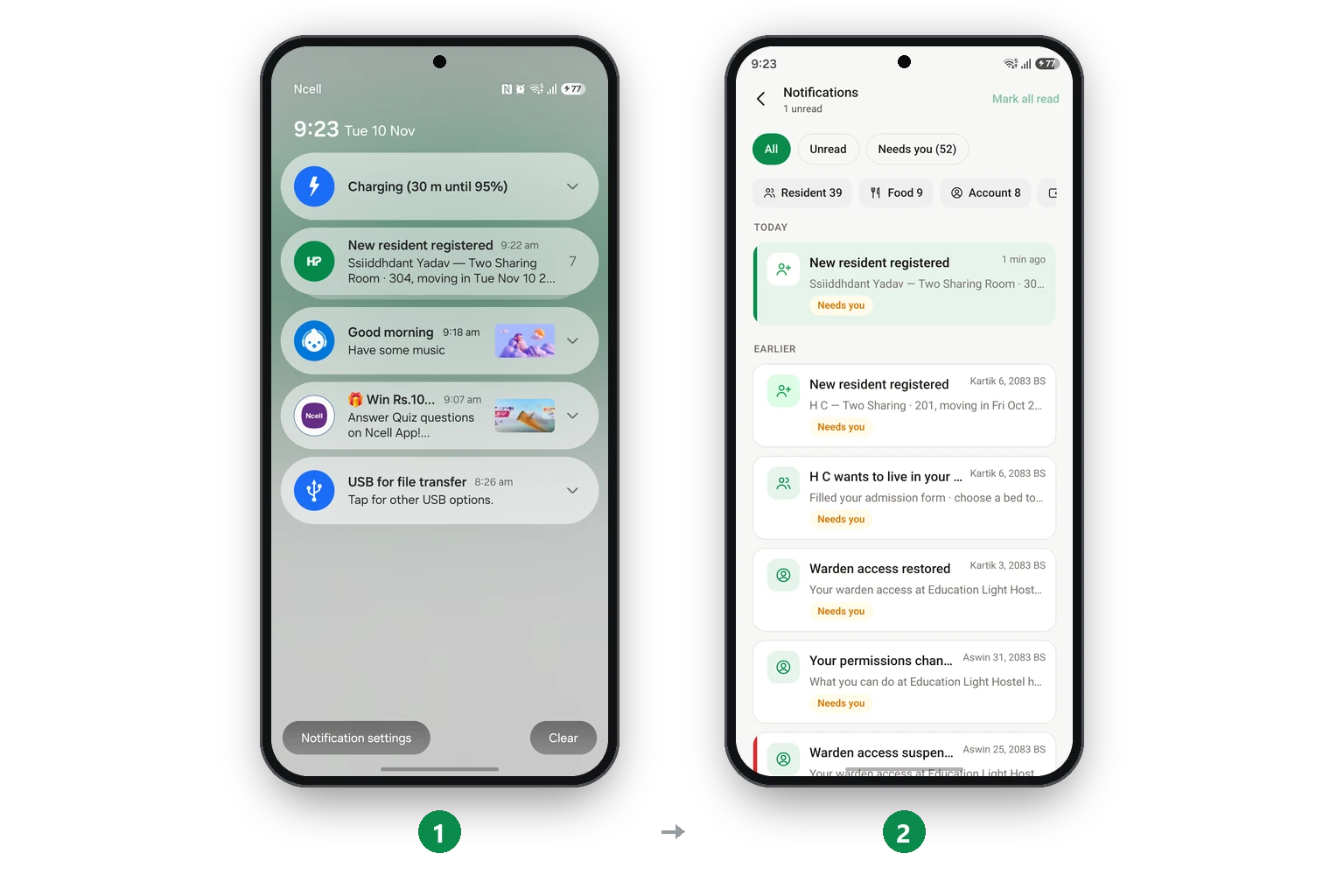
After you register a residentरेजिडेन्ट रजिस्टर गरेपछि
The app makes the bills and tells everyone.एपले बिल बनाउँछ र सबैलाई खबर गर्छ।
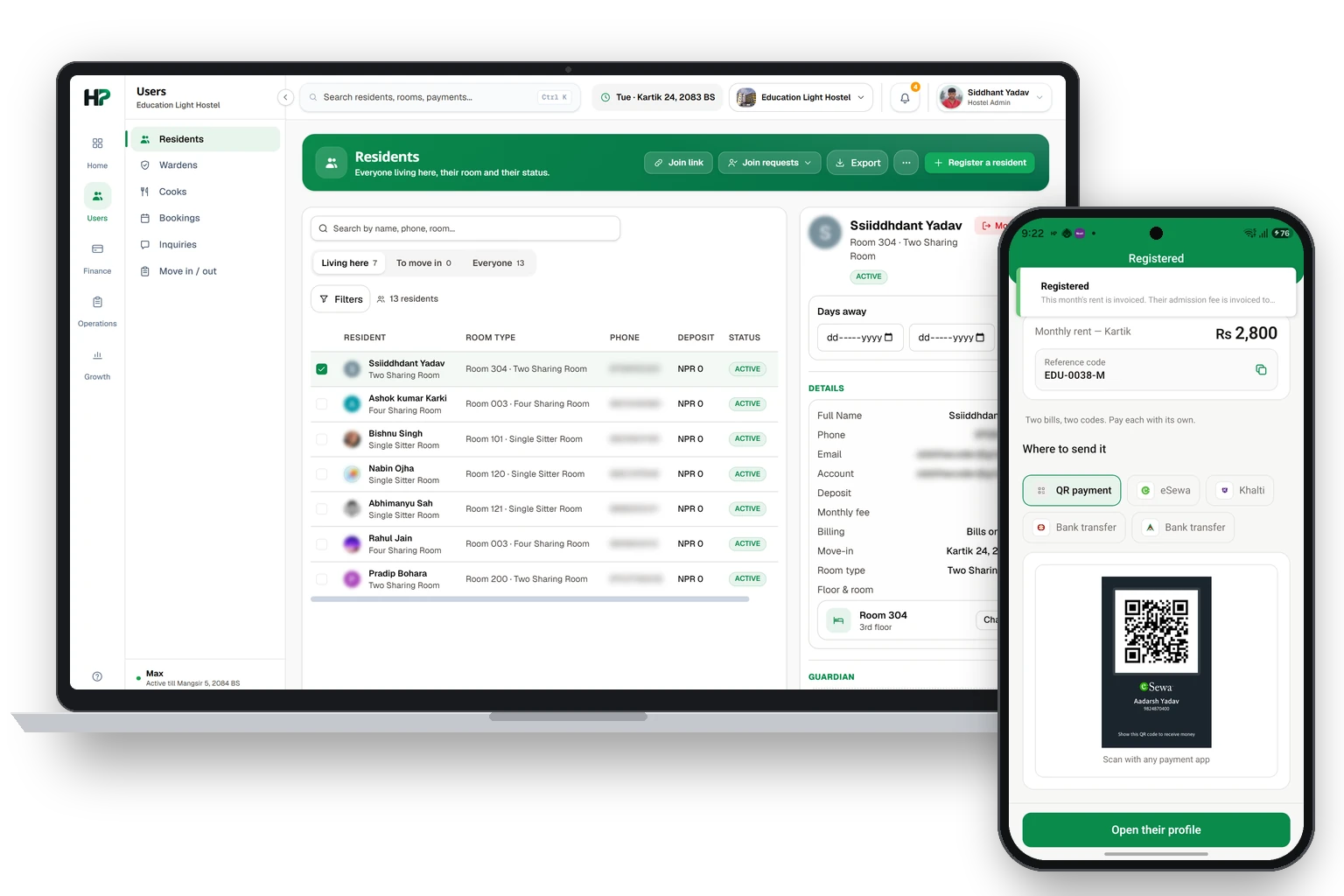
Add people who already live hereपहिल्यै बसिरहेका रेजिडेन्ट थप्ने
For residents who lived in the hostel before you joined.तपाईं जोडिनुअघि नै होस्टलमा बसिरहेका रेजिडेन्टका लागि।
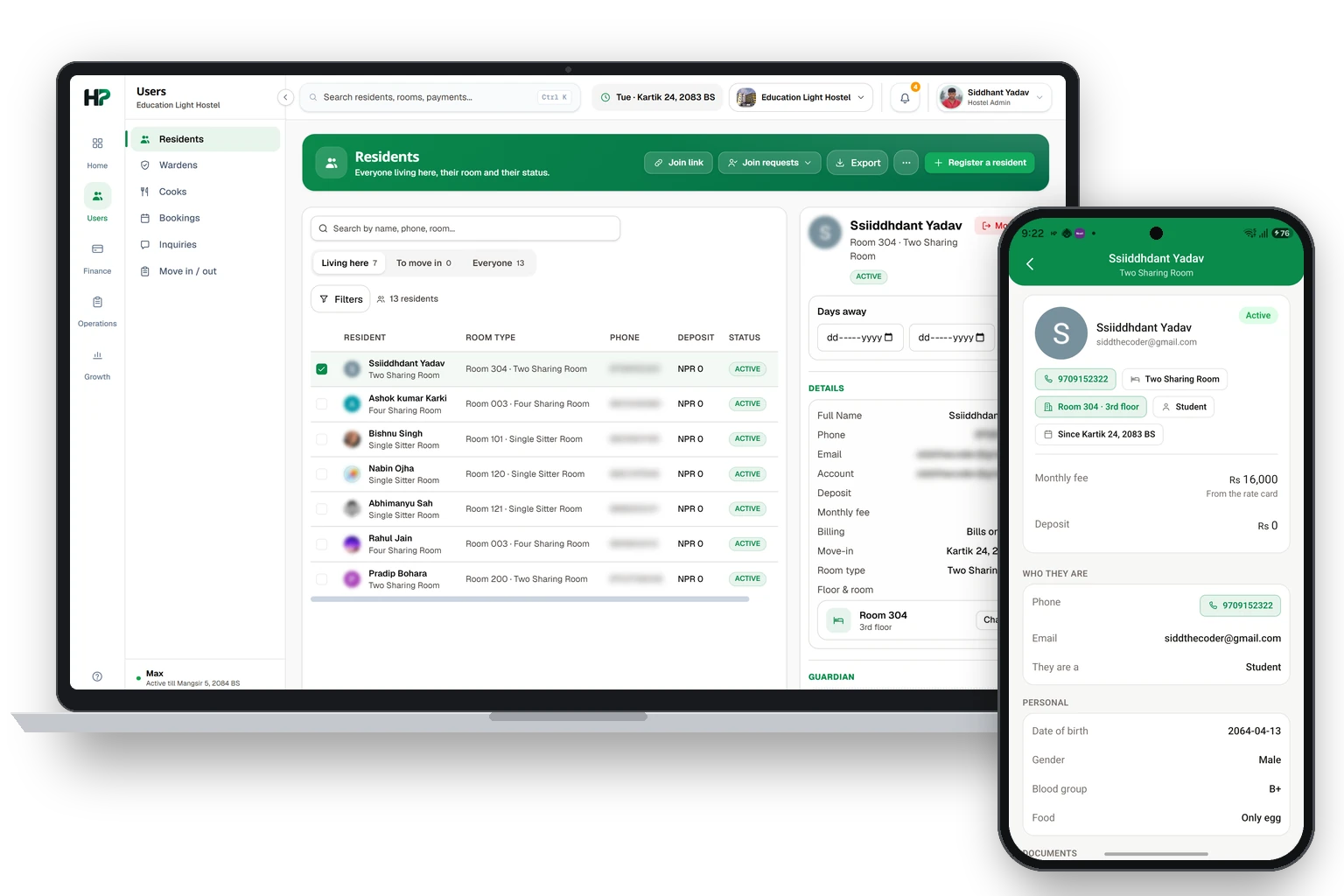
Rooms and bedsकोठा र बेड
See your floors, rooms and free beds. Change them here.तल्ला, कोठा र खाली बेड हेर्नुहोस्। यहीँबाट फेर्नुहोस्।
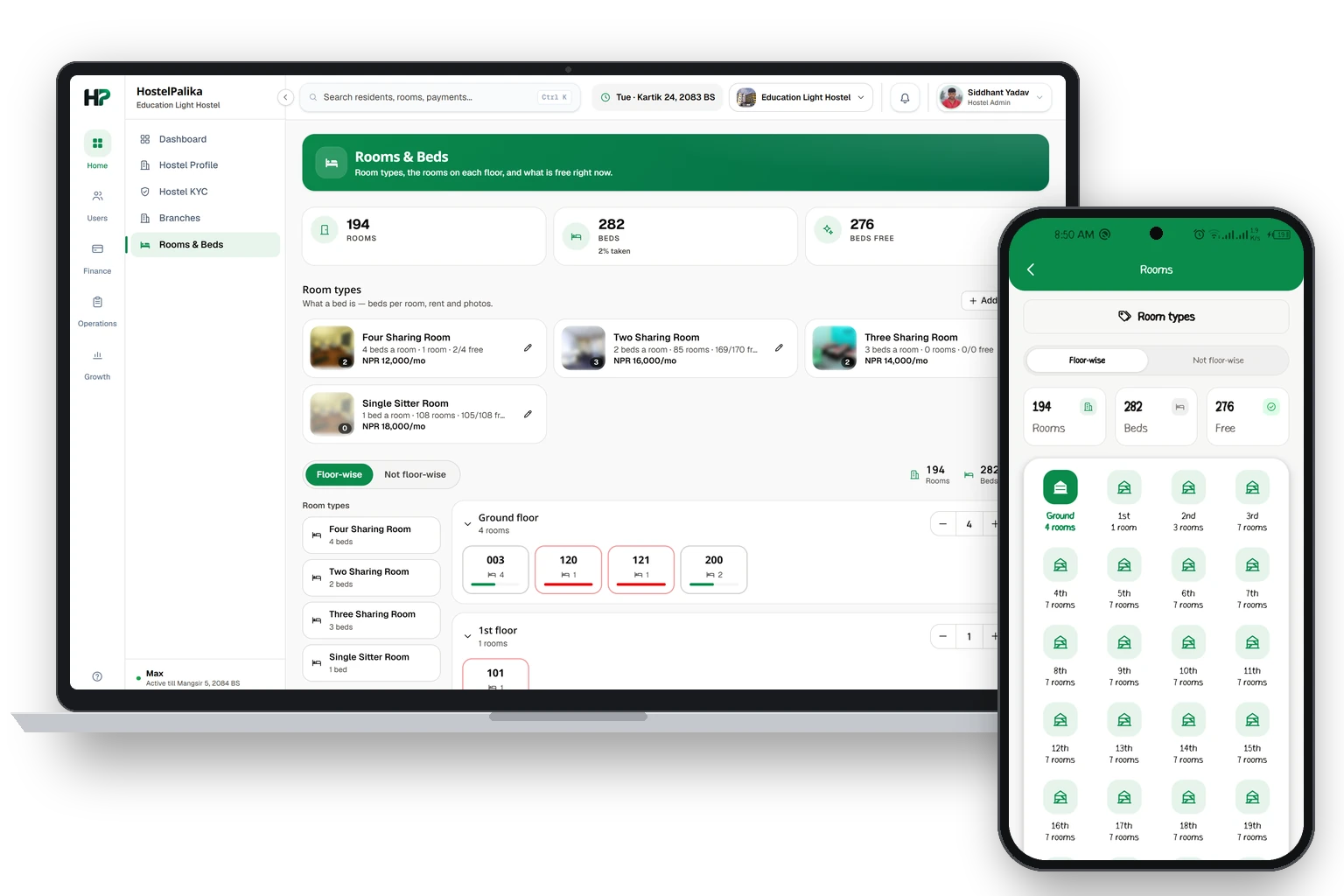
Room ratesकोठाको भाडा
Set one monthly rent for each room type.कोठाको हरेक टाइपको एउटा महिनाको भाडा राख्नुहोस्।
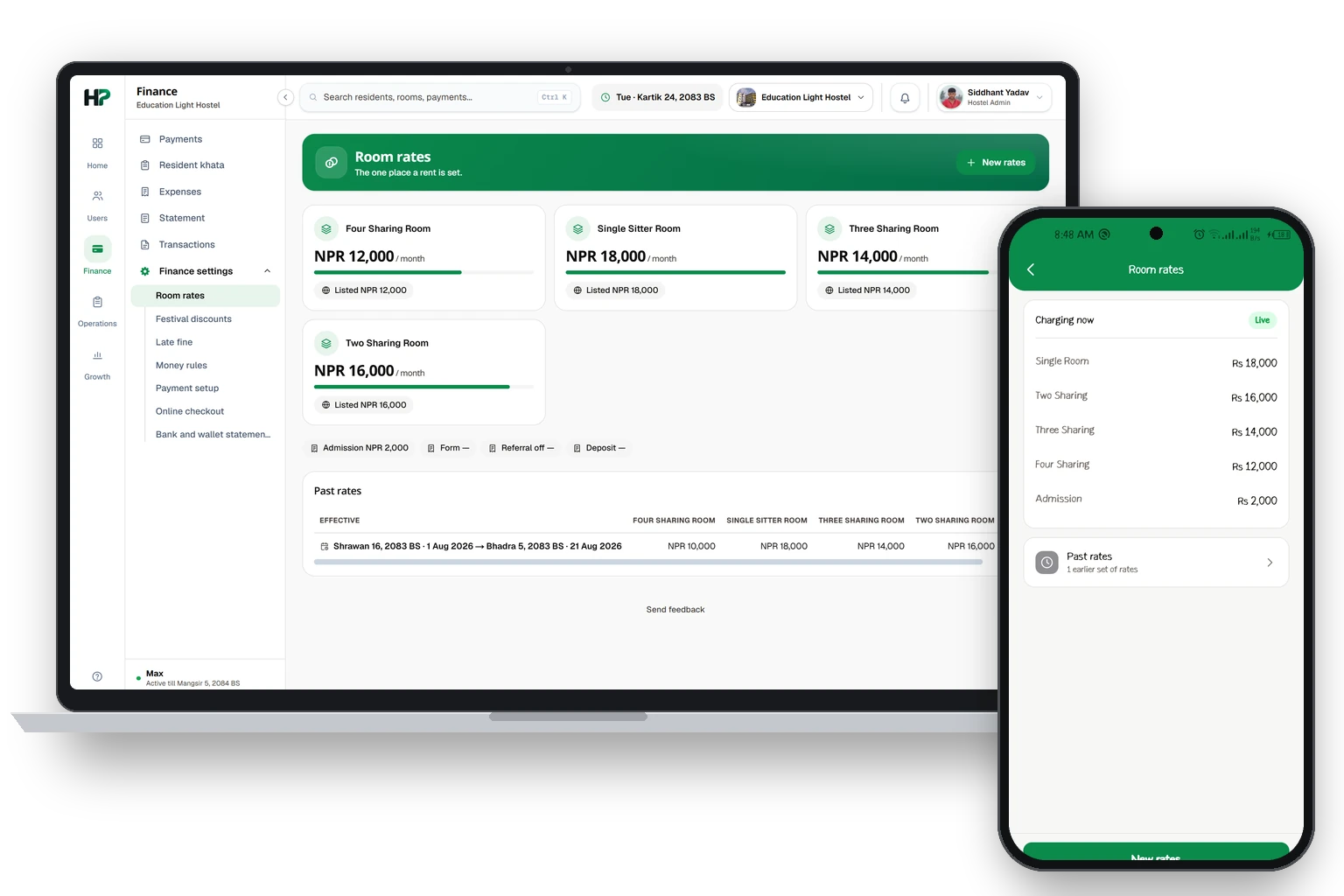
Your hostel pageतपाईंको होस्टल पेज
What people see about your hostel on the website.वेबसाइटमा मान्छेले तपाईंको होस्टलबारे के देख्छन्।
Settings → The hostel holds what the public sees: about, contact, map pin, facilities, house rules, how to find the gate, and photos.
When you change something here, your public page changes too.
Hostel KYC asks for the same details the first time, one step at a time. Your work is saved when you tap Save & next or go back.
Settings → The hostel मा पब्लिकले देख्ने कुरा हुन्छन्: होस्टलबारे, कन्ट्याक्ट, म्यापको पिन, सुविधा, होस्टलका नियम, गेट कसरी भेट्ने, र फोटो।
यहाँ केही फेर्नुभयो भने तपाईंको पब्लिक पेज पनि फेरिन्छ।
Hostel KYC ले पहिलो पटक यिनै डिटेल एक-एक स्टेपमा सोध्छ। Save & next थिच्दा वा पछाडि जाँदा तपाईंको काम सेभ हुन्छ।
Paymentsपेमेन्ट
See who has paid and who still owes.कसले तिर्यो र कसको बाँकी छ हेर्नुहोस्।
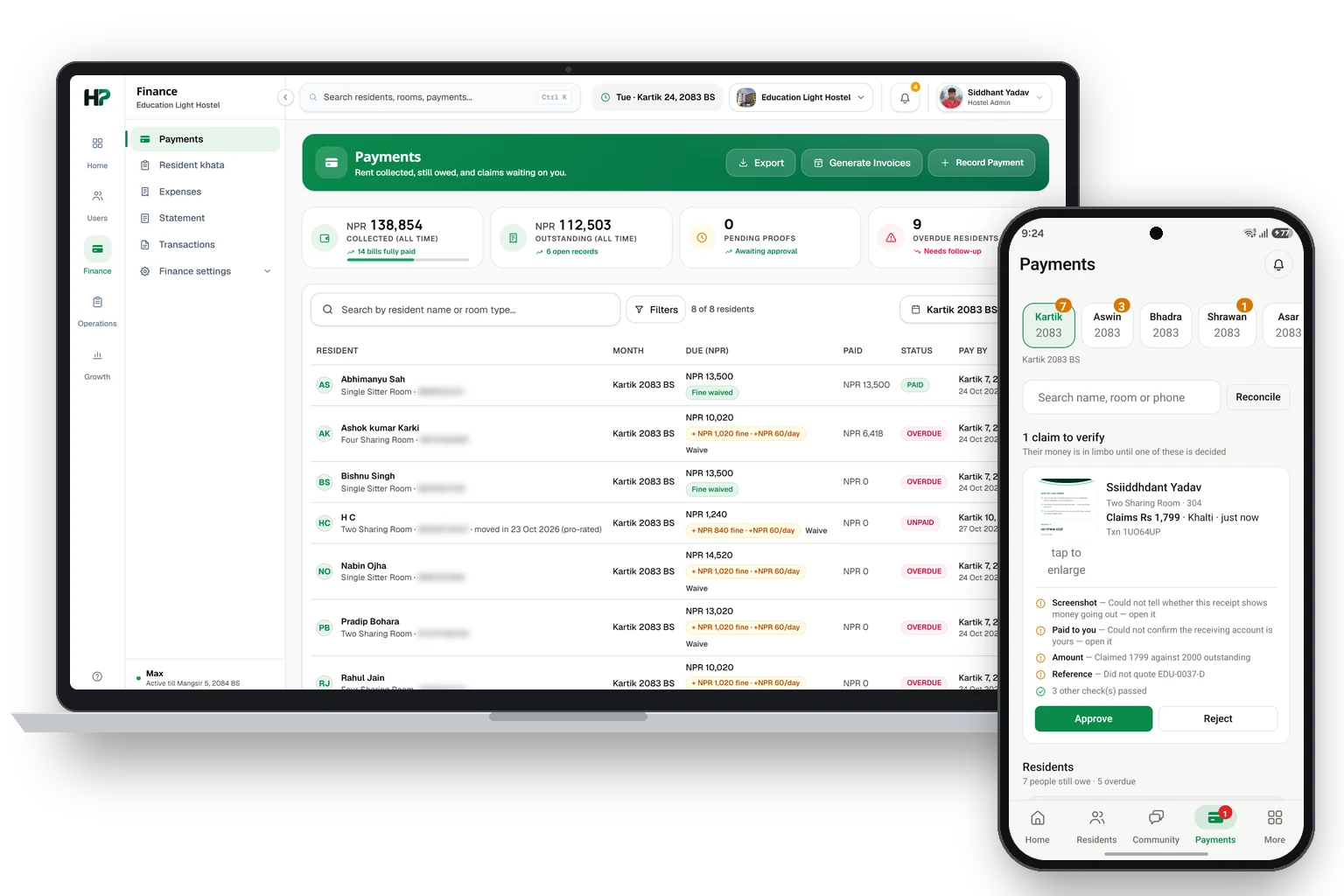
Take a payment at the deskकाउन्टरमा पेमेन्ट लिने
Take cash or a QR payment, and mark the months as paid.क्यास वा QR पेमेन्ट लिनुहोस्, र तिरेका महिना paid बनाउनुहोस्।
Use this when a resident pays you in person. Tap Collect, then tap their name.
Steps
- 1You see every month they still owe. The oldest month is already ticked.
- 2If they pay for more months, tick those too. The total changes.
- 3Choose how they pay: Cash, or the eSewa, Khalti or bank account you set up.
- 4For an online payment, the QR or the number shows on the screen. Let the resident scan it.
- 5Tap Collect. Those months are now paid.
- 6The resident gets a receipt in the app, and their points.
रेजिडेन्टले तपाईंलाई आफैँ आएर तिर्दा यो चलाउनुहोस्। Collect थिच्नुहोस्, अनि उनको नाम थिच्नुहोस्।
स्टेपहरू
- 1उनको बाँकी भएका सबै महिना देखिन्छन्। सबैभन्दा पुरानो महिनामा पहिल्यै टिक हुन्छ।
- 2उनले धेरै महिनाको तिरे भने ती महिनामा पनि टिक लगाउनुहोस्। टोटल फेरिन्छ।
- 3कसरी तिर्छन् रोज्नुहोस्: Cash, वा तपाईंले राखेको eSewa, Khalti वा बैंक अकाउन्ट।
- 4अनलाइन पेमेन्ट हो भने QR वा नम्बर स्क्रिनमा देखिन्छ। रेजिडेन्टलाई स्क्यान गर्न दिनुहोस्।
- 5Collect थिच्नुहोस्। ती महिना अब paid भए।
- 6रेजिडेन्टलाई एपमा रसिद र पोइन्ट आउँछ।
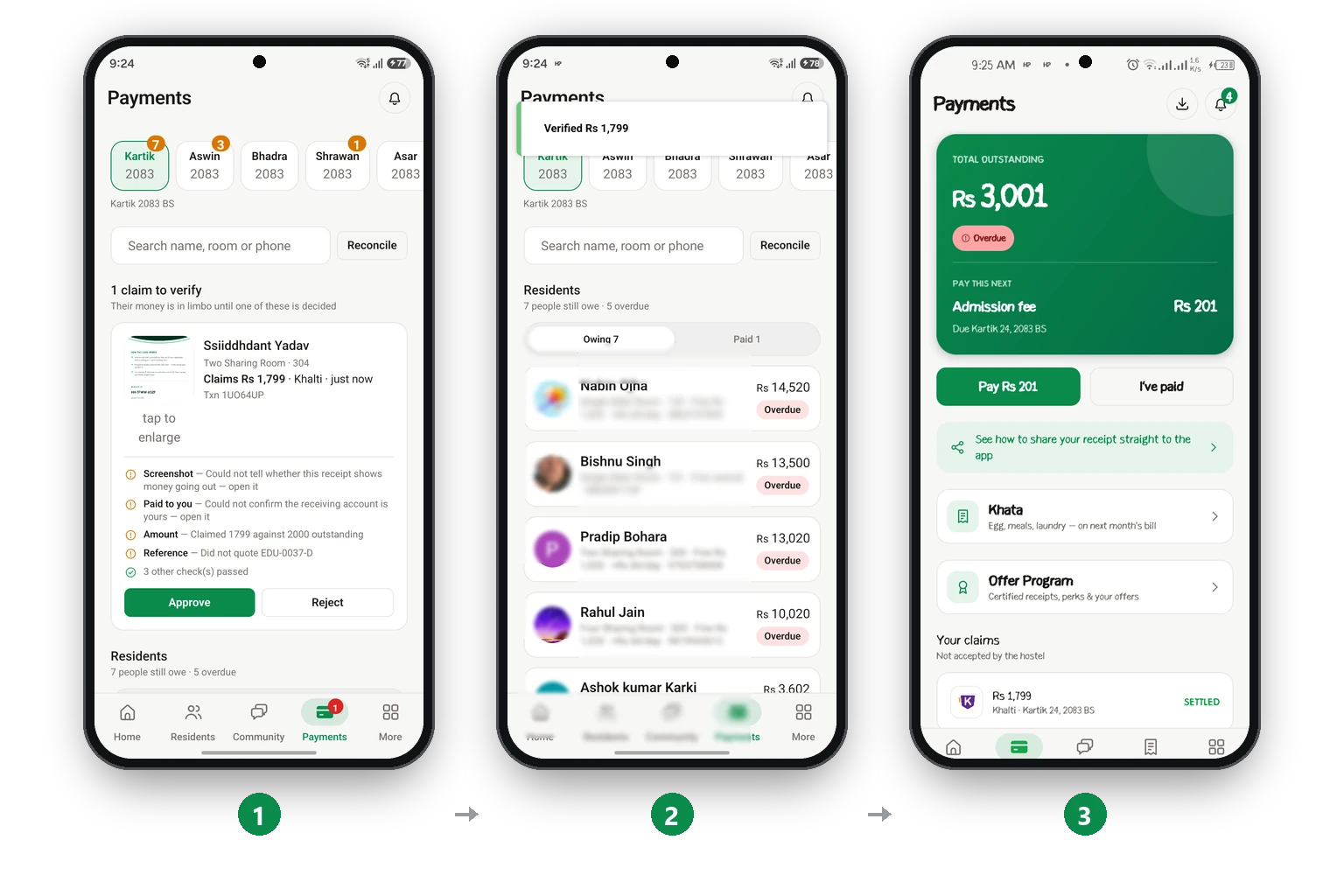
Check a payment screenshotपेमेन्टको स्क्रिनसट चेक गर्ने
Residents send a screenshot. You check it and approve it.रेजिडेन्टले स्क्रिनसट पठाउँछन्। तपाईं चेक गरेर अप्रुभ गर्नुहुन्छ।
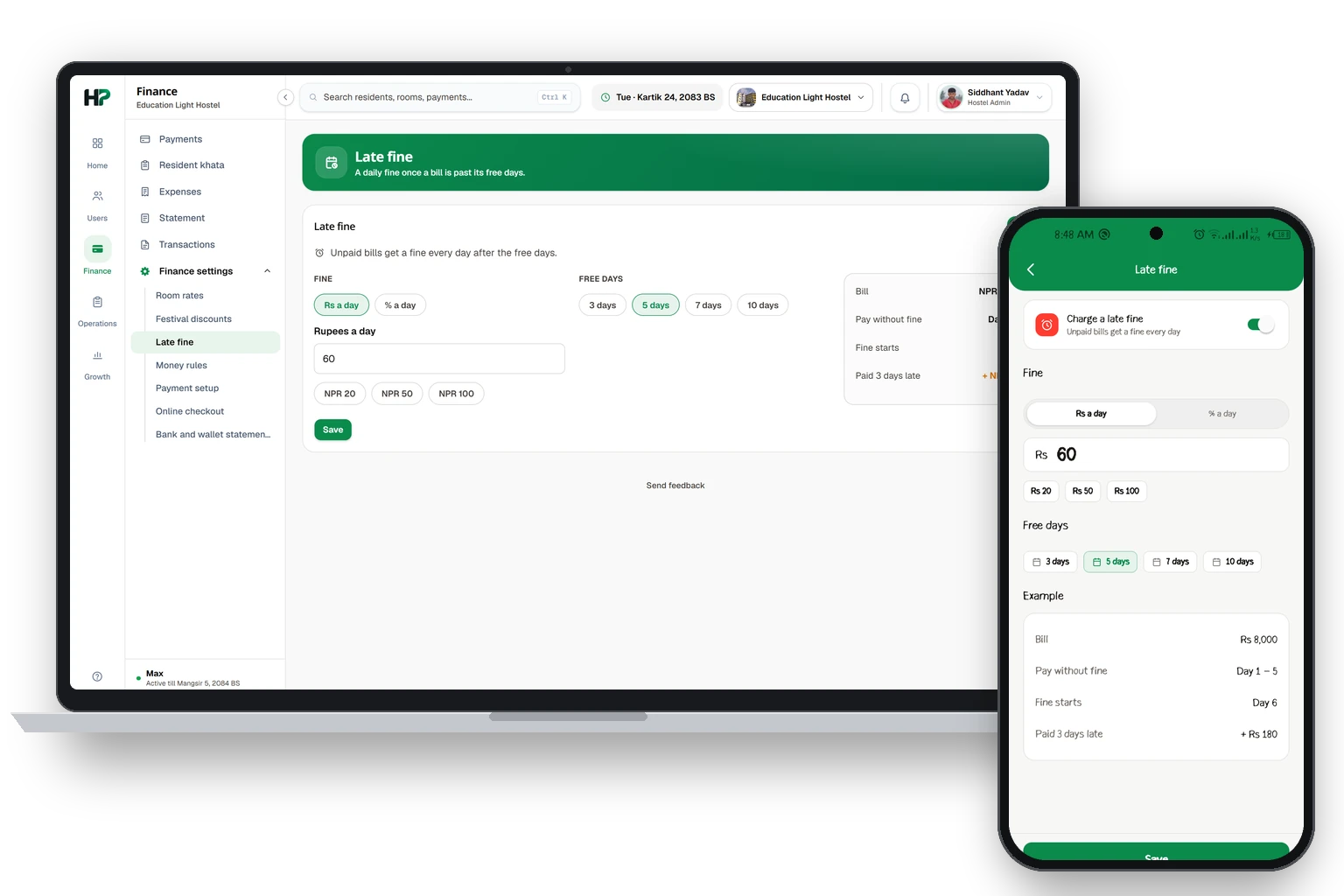
How bills workबिल कसरी चल्छ
The app makes bills, sends reminders and adds fines for you.एपले आफैँ बिल बनाउँछ, रिमाइन्डर पठाउँछ र फाइन जोड्छ।
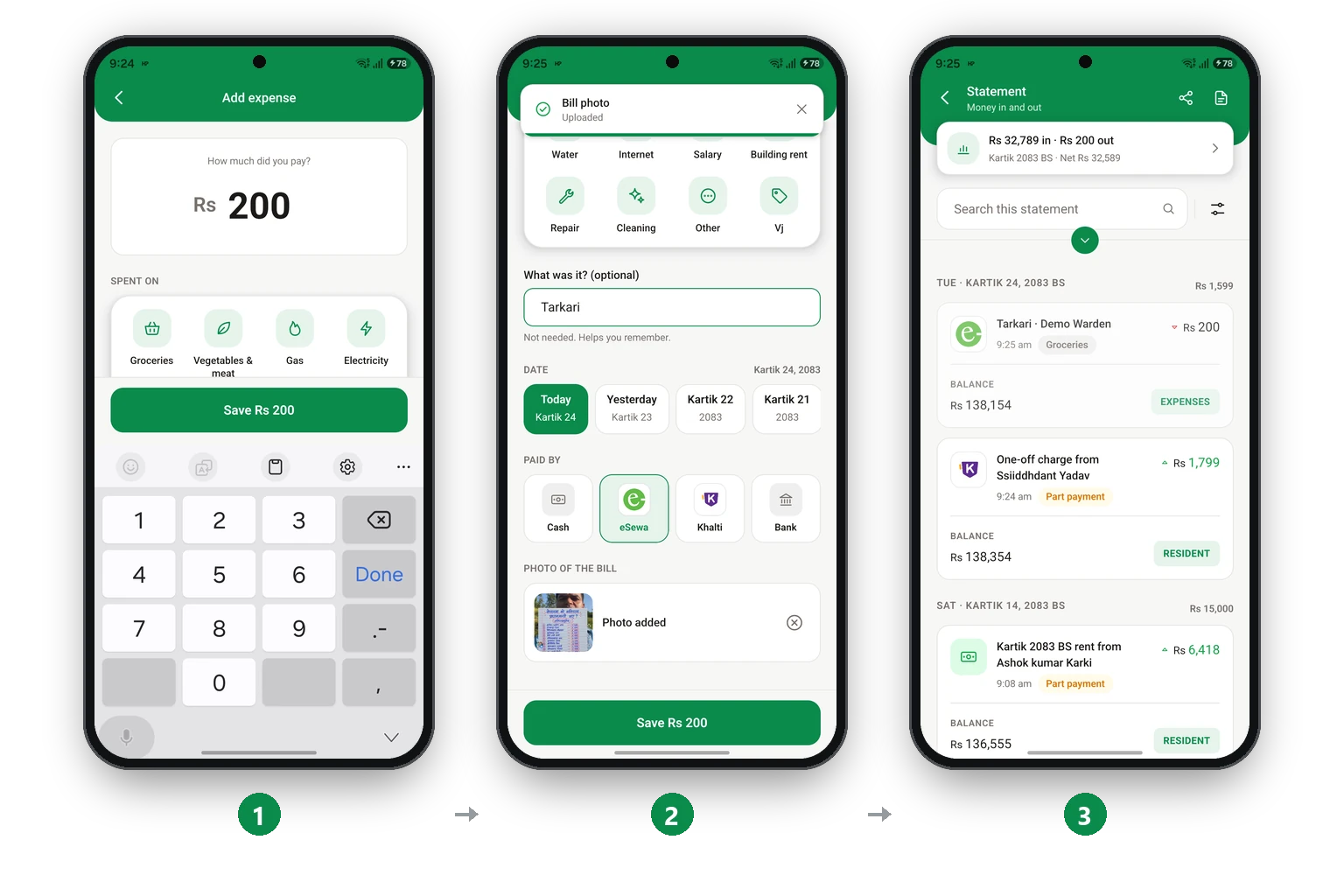
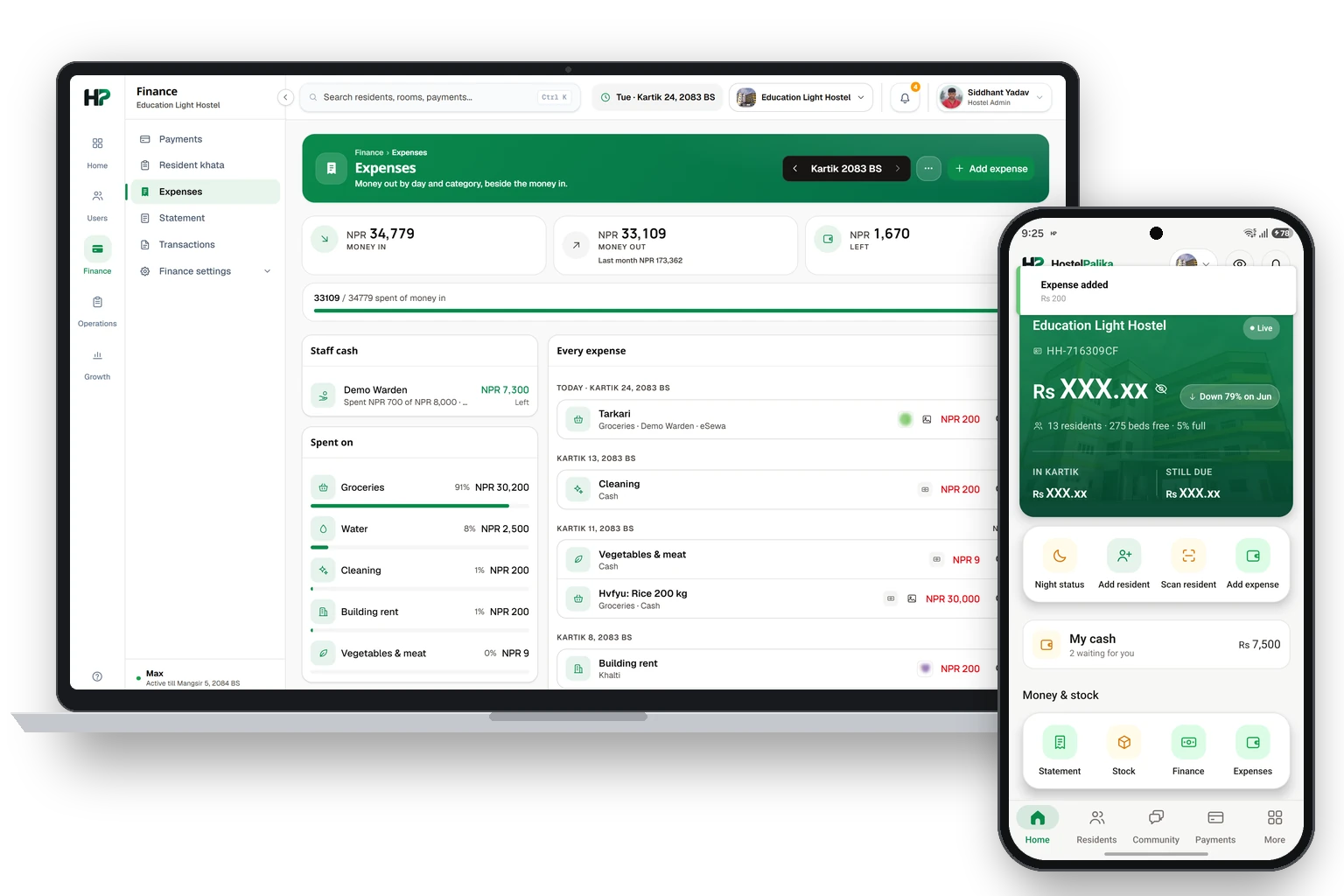
Add an expenseखर्च थप्ने
Record what the hostel spends, with a photo of the bill.होस्टलको खर्च बिलको फोटोसहित रेकर्ड गर्नुहोस्।
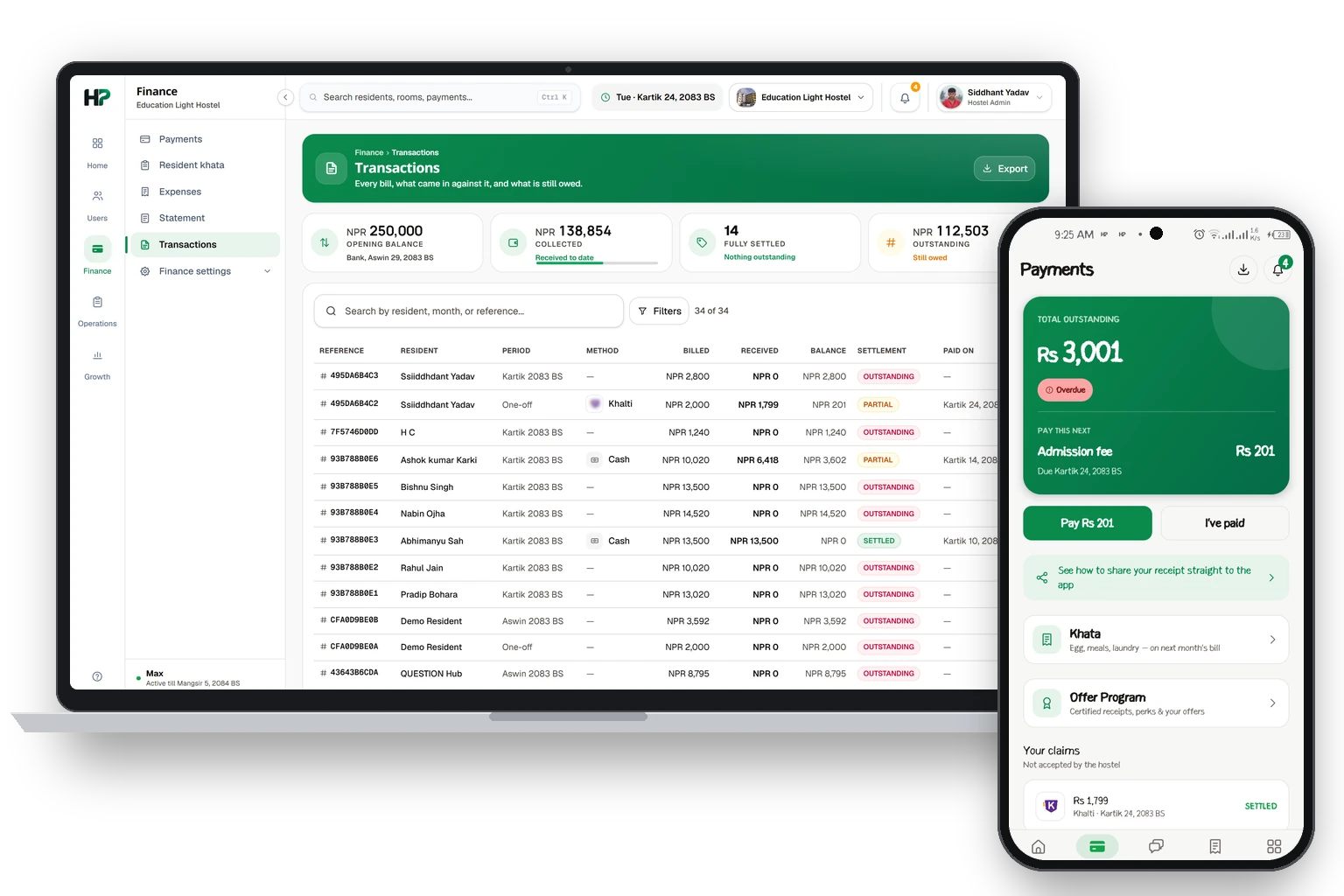
Statementस्टेटमेन्ट
All money in and out, with the balance.आएको र गएको सबै पैसा, ब्यालेन्ससहित।
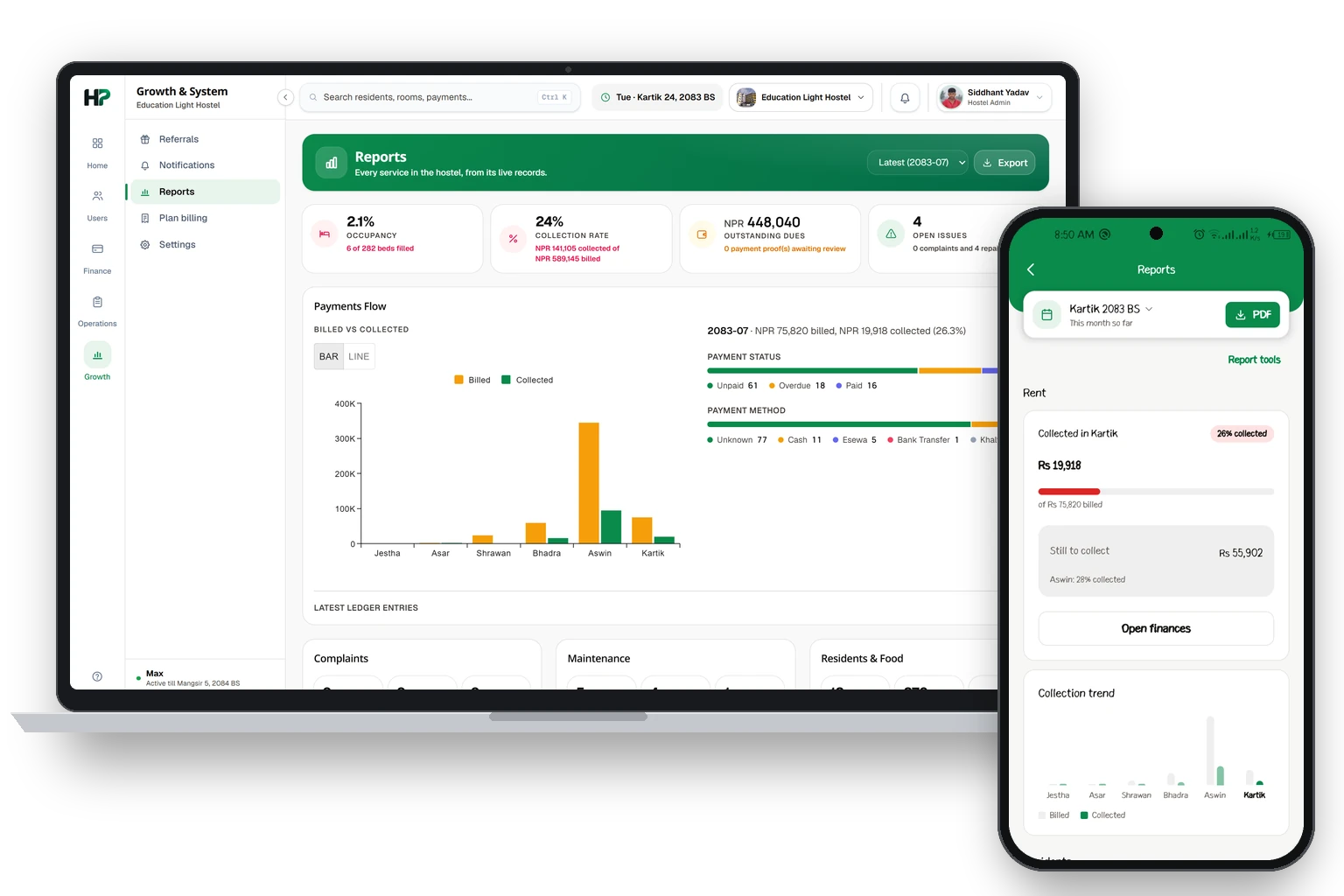
Reportsरिपोर्ट
Charts of your money and beds, and PDF files.पैसा र बेडको चार्ट, र PDF फाइल।
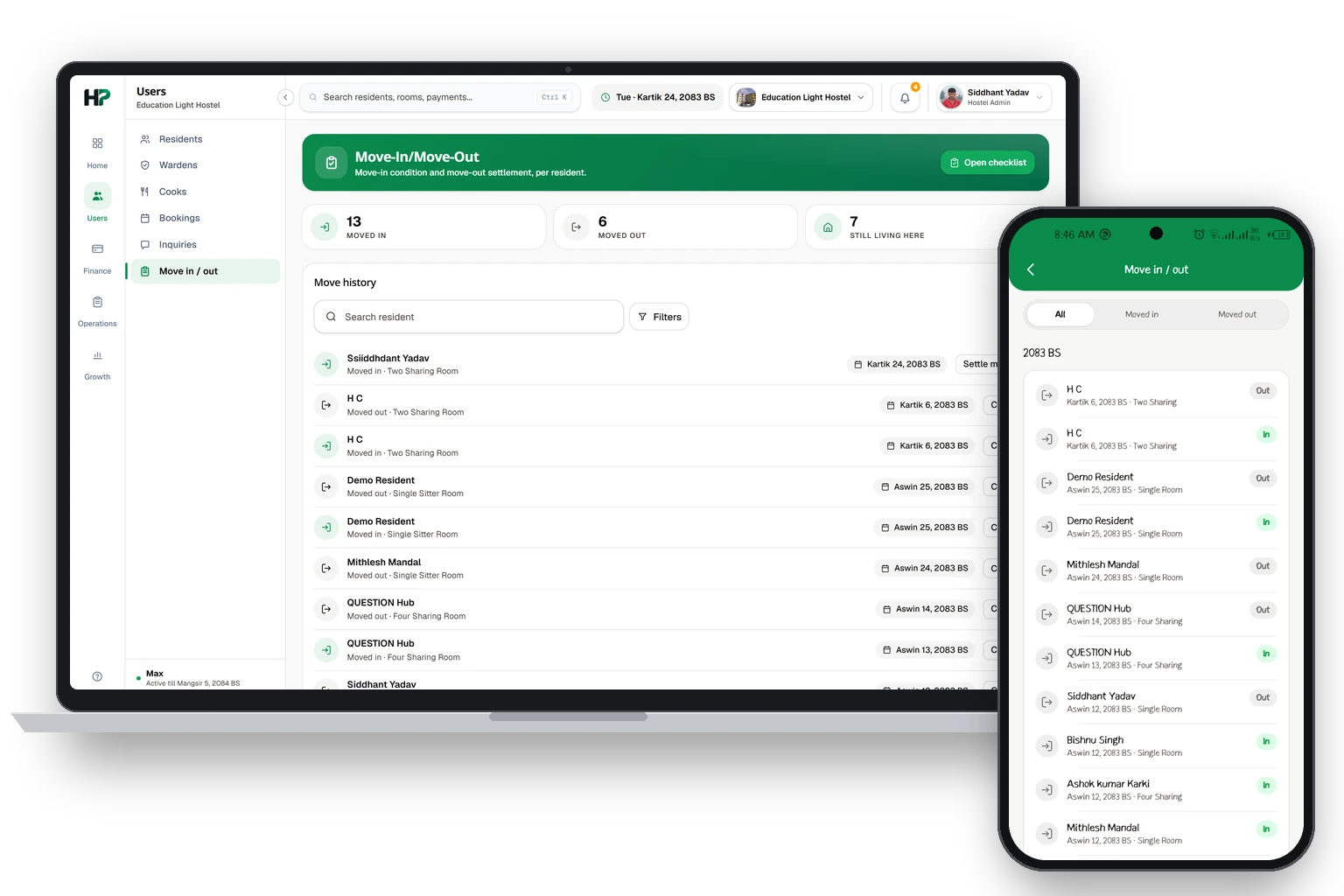
Move in and move outसर्ने र छोड्ने
How a resident leaves, and what you do on the last day.रेजिडेन्टले कसरी छोड्छन्, र अन्तिम दिन तपाईं के गर्नुहुन्छ।
Your staffतपाईंको स्टाफ
Add wardens and cooks, and choose what each one can do.वार्डेन र कुक थप्नुहोस्, र हरेकले के गर्न सक्छ रोज्नुहोस्।
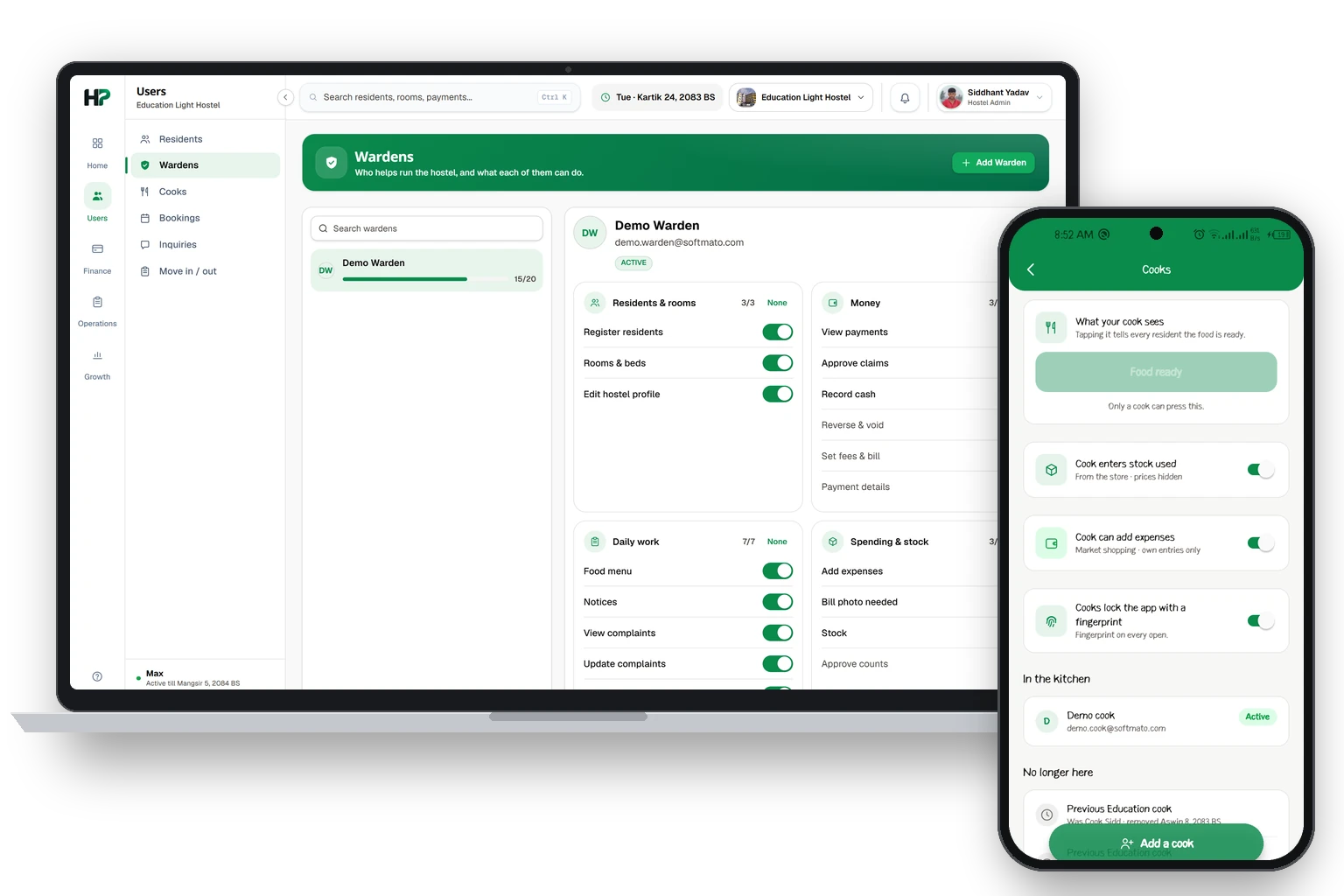
Your plan and accountतपाईंको प्लान र अकाउन्ट
Pay for your plan, or leave the platform.प्लानको पैसा तिर्ने, वा प्लेटफर्म छोड्ने।
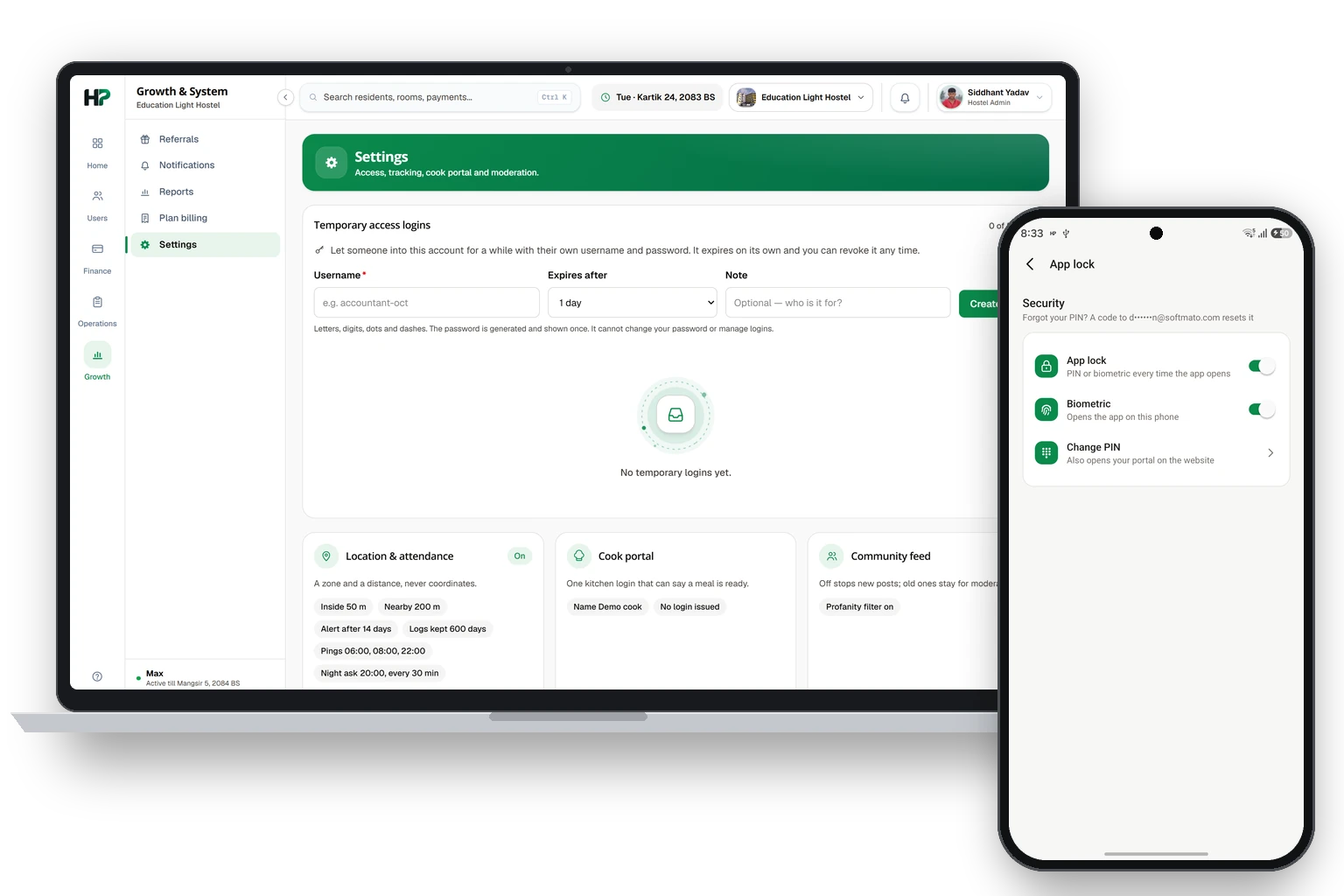
What a warden can seeवार्डेनले के देख्छन्
You use the owner's screens. The owner chooses which ones.तपाईं मालिककै स्क्रिन चलाउनुहुन्छ। कुन-कुन, मालिकले रोज्नुहुन्छ।
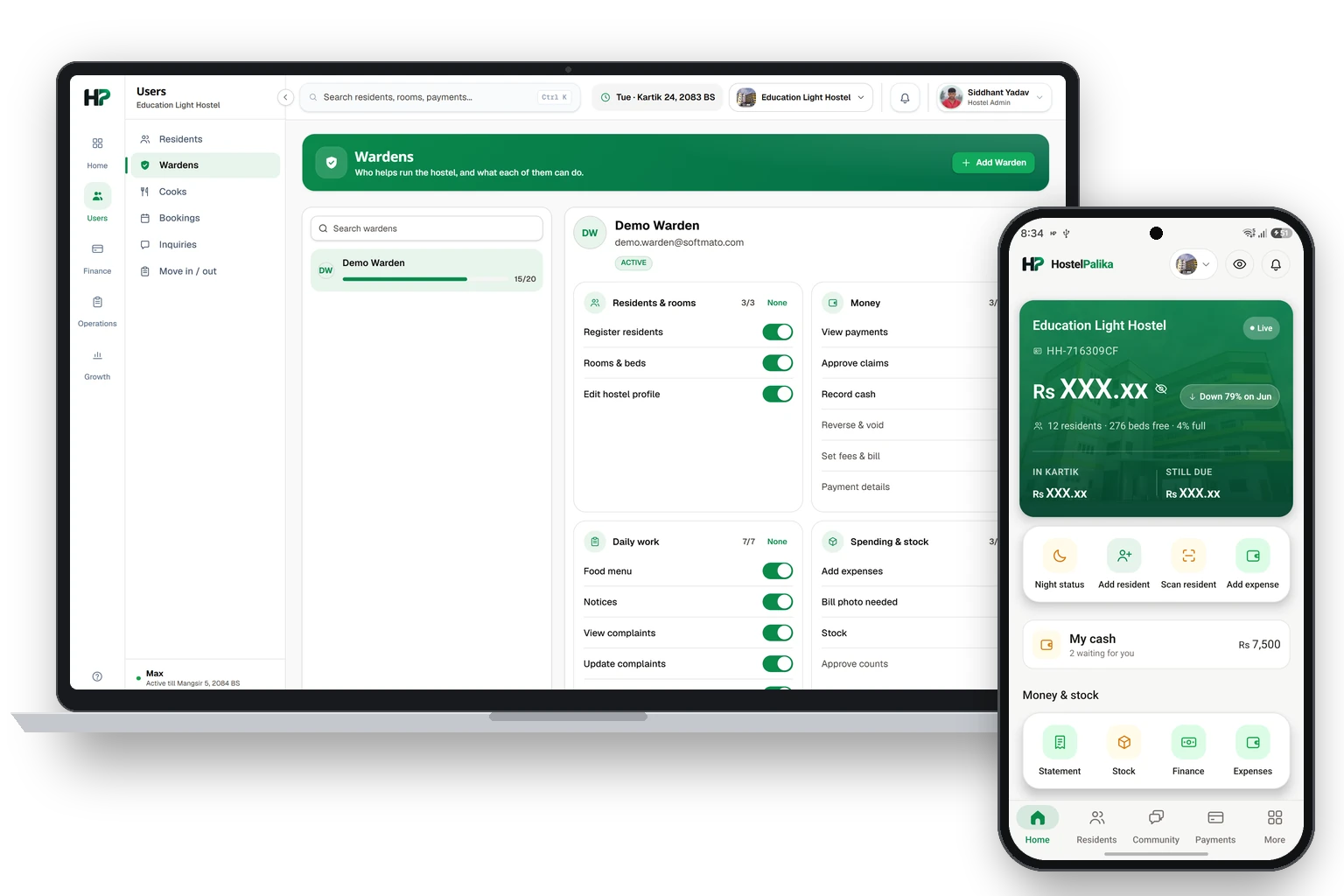
Residents, payments and expensesरेजिडेन्ट, पेमेन्ट र खर्च
These work the same as for the owner.यी काम मालिकको जस्तै हुन्छन्।
Your cash boxतपाईंको क्यास बक्स
The cash you hold, and how to hand it over.तपाईंसँग भएको क्यास, र कसरी बुझाउने।
Foodखाना
Set the weekly menu, and tell residents when food is ready.हप्ताको मेनु राख्नुहोस्, र खाना तयार भएको रेजिडेन्टलाई भन्नुहोस्।
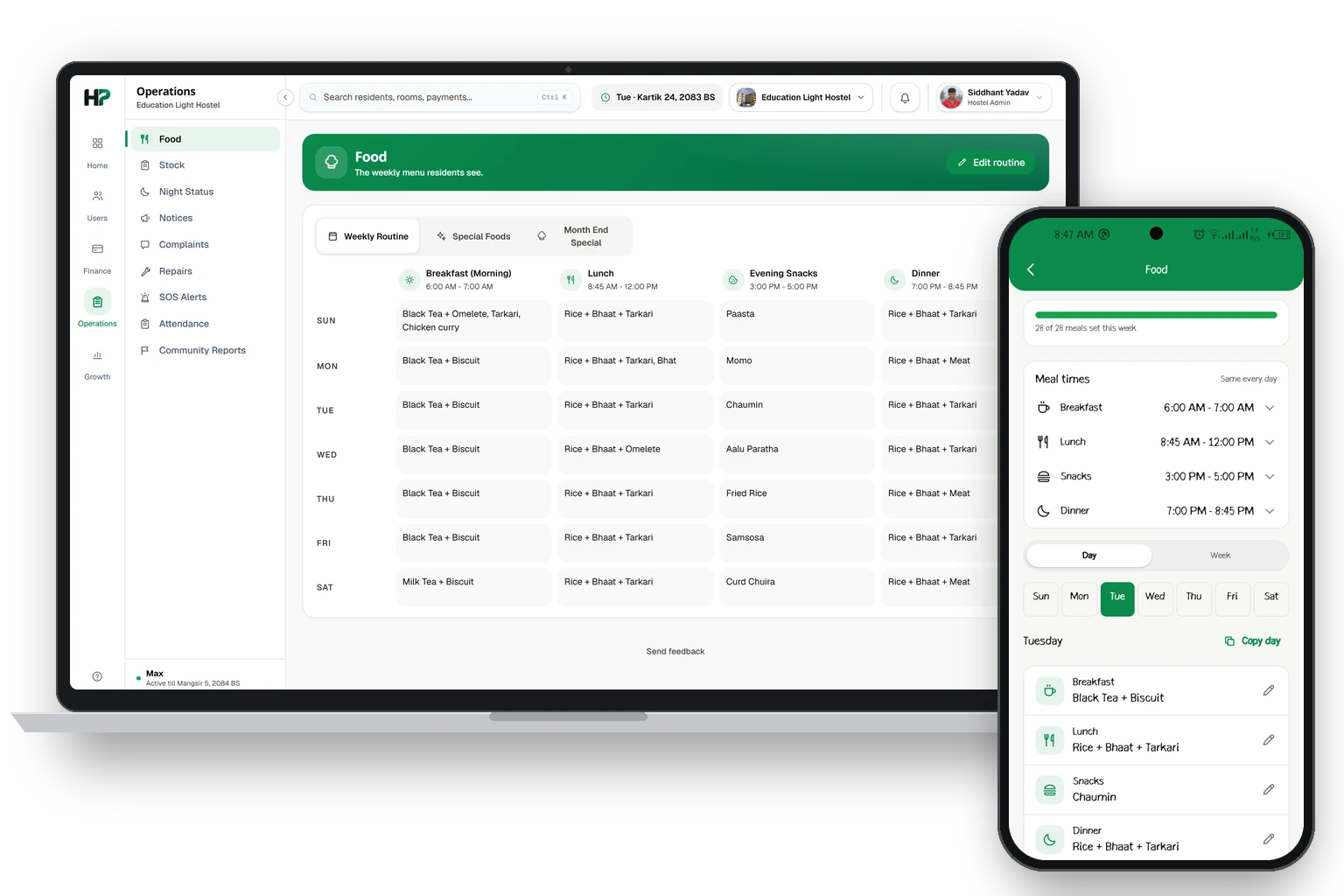
Night statusरातको हाजिरी
See who is in and who is out each night.हरेक रात को भित्र र को बाहिर छ हेर्नुहोस्।
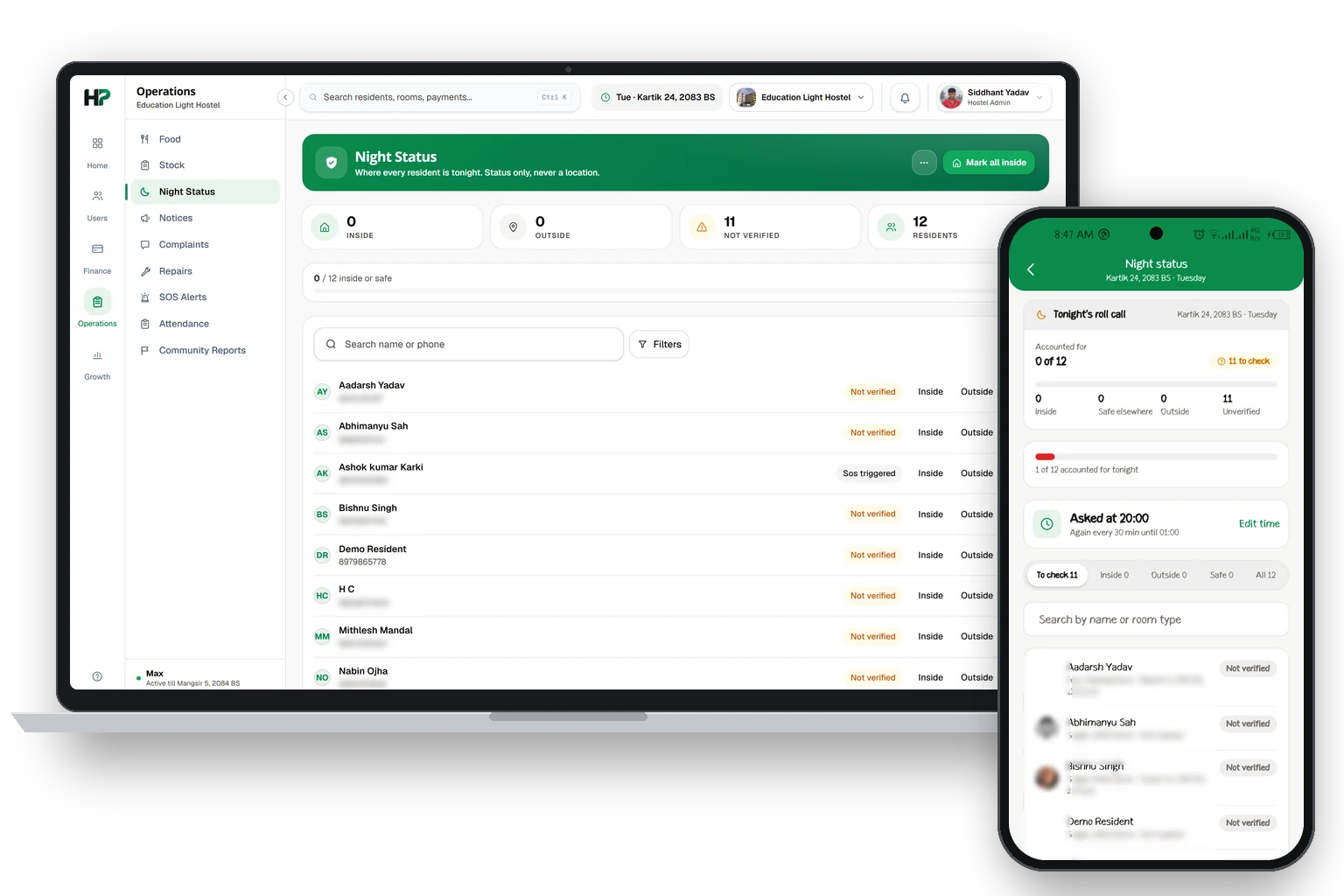
Noticesनोटिस
Send a message to everyone, now or later.सबैलाई मेसेज पठाउनुहोस्, अहिले वा पछि।
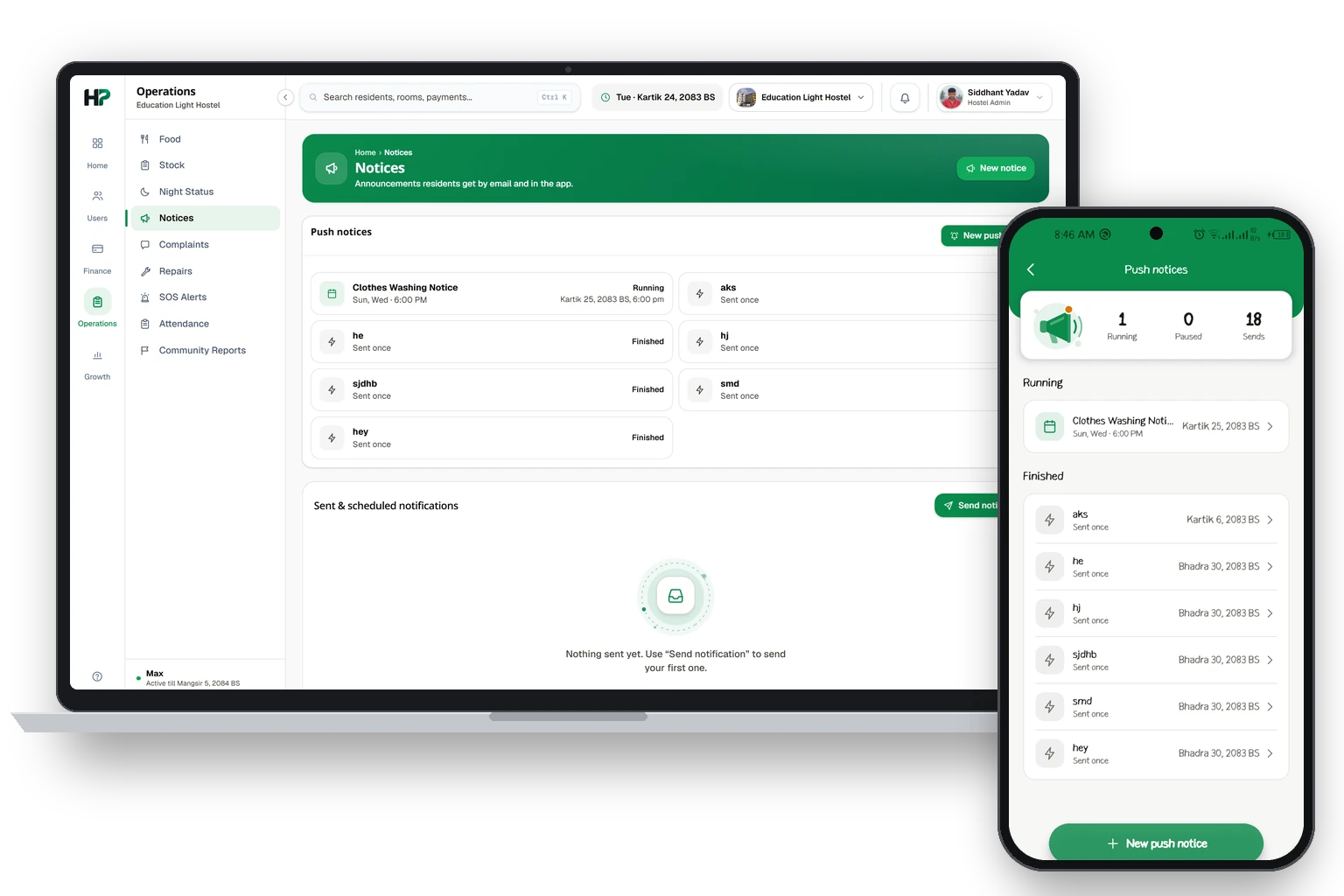
Alerts and daily routinesअलर्ट र दिनदिनको रुटिन
The bell shows what needs you. Routines repeat on their own.घण्टीले तपाईंले हेर्नुपर्ने कुरा देखाउँछ। रुटिन आफैँ दोहोरिन्छन्।
The bell at the top holds your alerts: new payment claims, complaints, join requests and SOS.
Tap an alert to open it. The number on the bell clears when you open the list.
A daily routine, like meal times or Clothes Washing, is a notice that repeats. Set it once under Push notices.
माथिको घण्टीमा तपाईंका अलर्ट हुन्छन्: नयाँ पेमेन्ट claim, कम्प्लेन, जोइन रिक्वेस्ट र SOS।
अलर्ट खोल्न त्यसलाई थिच्नुहोस्। लिस्ट खोलेपछि घण्टीको नम्बर हट्छ।
खाने टाइम वा Clothes Washing जस्तो दिनदिनको रुटिन दोहोरिने नोटिस हो। Push notices मा एक पटक राख्नुहोस्।
Complaints and repairsकम्प्लेन र रिपेयर
A resident reports a problem. You update it until it is fixed.रेजिडेन्टले समस्या भन्छन्। नबनेसम्म तपाईं अपडेट गर्नुहुन्छ।
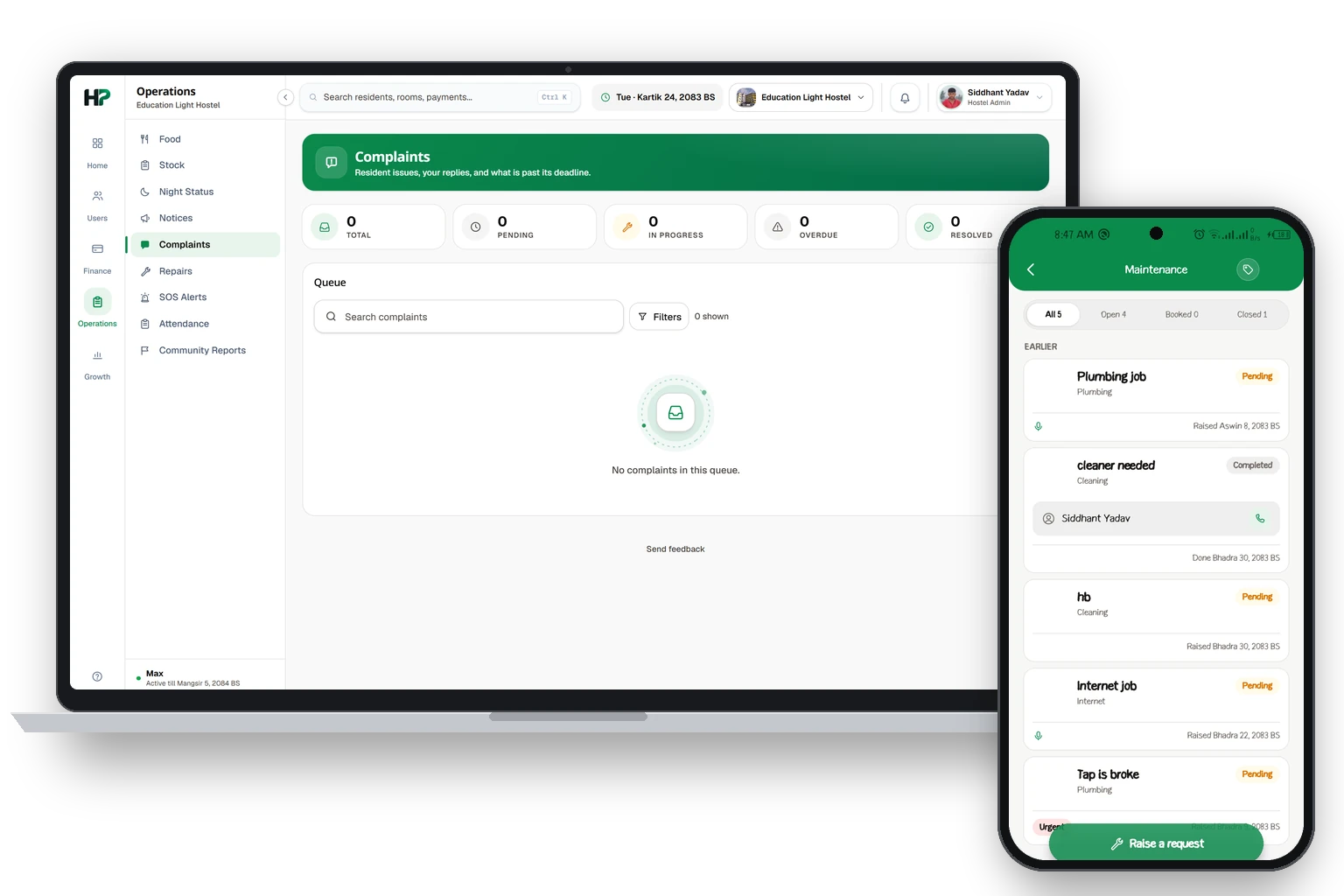
Stockस्टक
Know what you have and what is running low.के छ र के सकिन लाग्यो थाहा पाउनुहोस्।
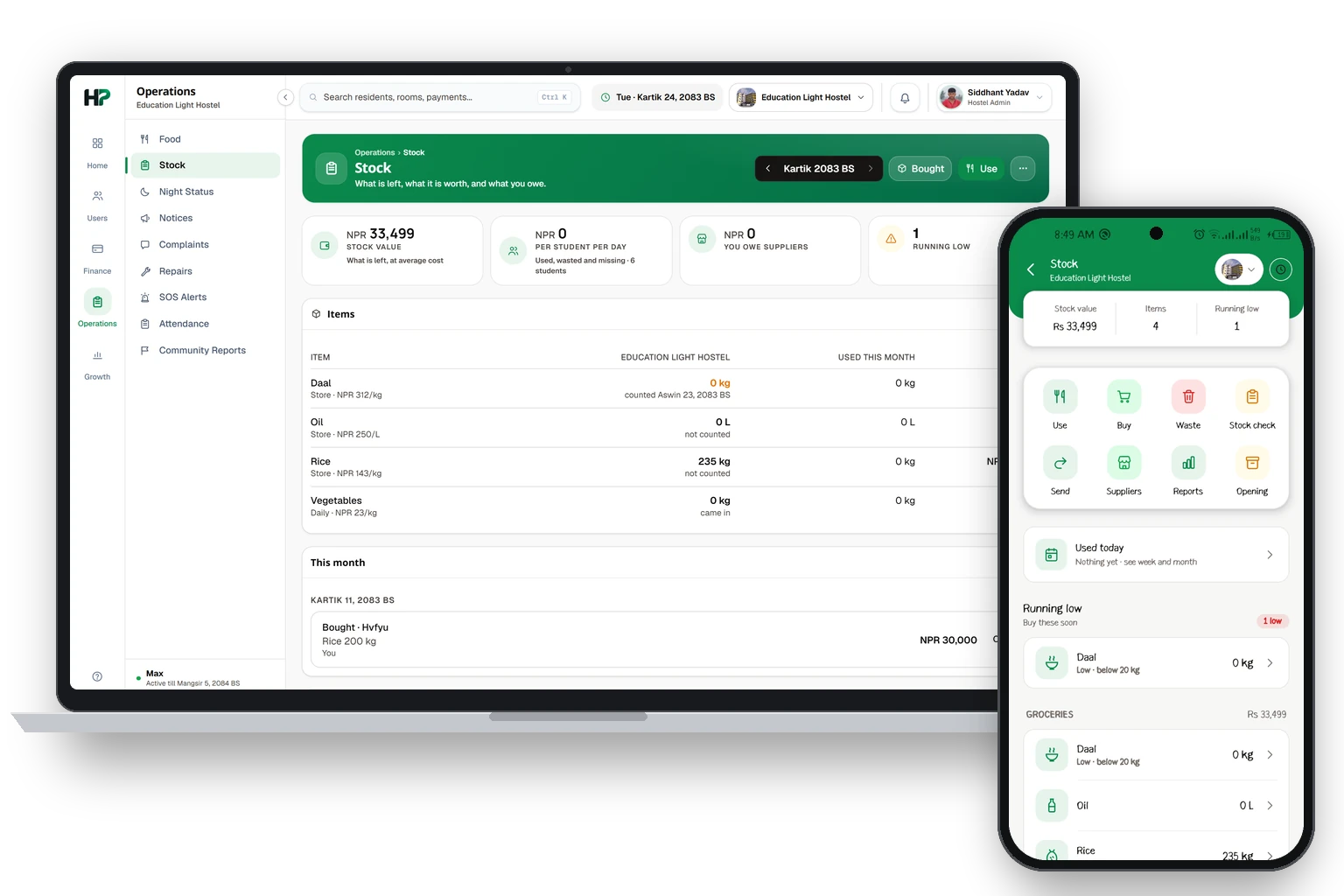
Stock records what you bought, what you used, and what is left. It works for the main hostel and for each branch. You can also order supplies from the store and pay when they arrive.
Stock ले के किन्नुभयो, के चलाउनुभयो, र के बाँकी छ रेकर्ड गर्छ। यो मेन होस्टल र हरेक ब्रान्चको लागि चल्छ। स्टोरबाट सामान अर्डर गरेर सामान आइपुगेपछि तिर्न पनि सक्नुहुन्छ।
Join your hostelहोस्टलमा जोडिने
Your hostel adds you. Then the app shows your hostel.होस्टलले तपाईंलाई थप्छ। त्यसपछि एपले तपाईंको होस्टल देखाउँछ।
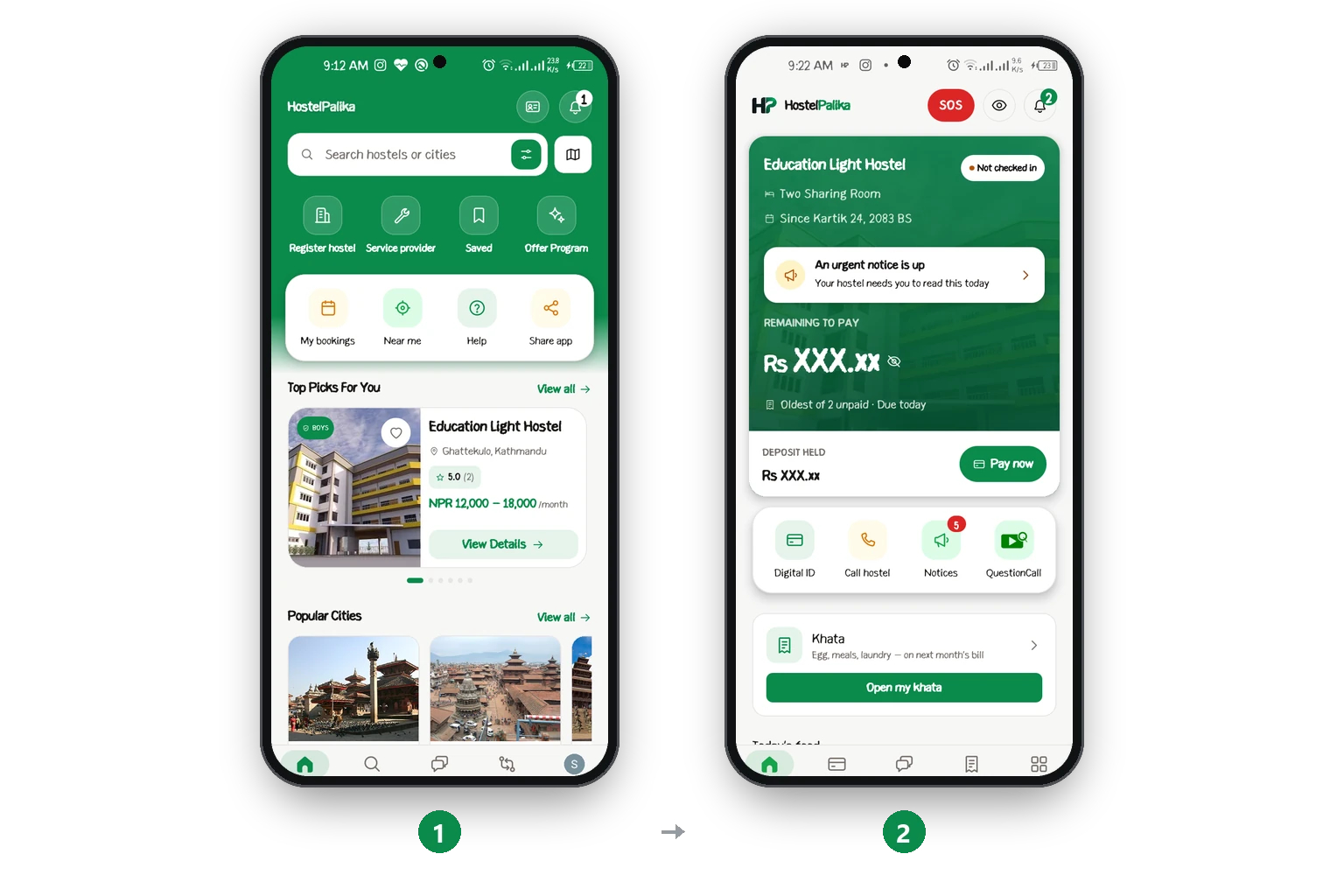
Your Homeतपाईंको Home
Your room, your bills and today's food on one screen.तपाईंको कोठा, बिल र आजको खाना एउटै स्क्रिनमा।
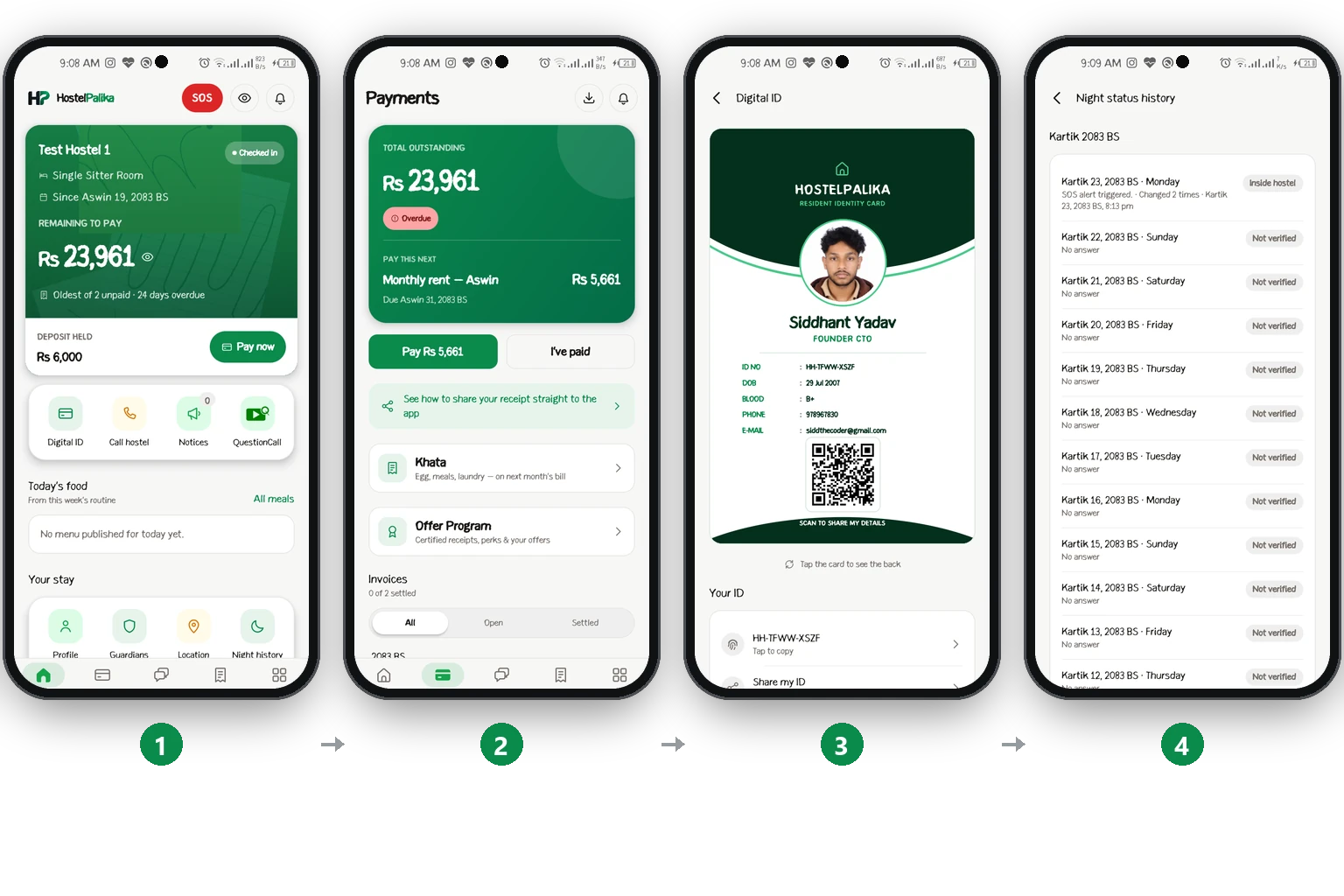
Pay your feeफी तिर्ने
Copy your code, pay, then send the receipt.कोड कपी गर्नुहोस्, तिर्नुहोस्, अनि रसिद पठाउनुहोस्।
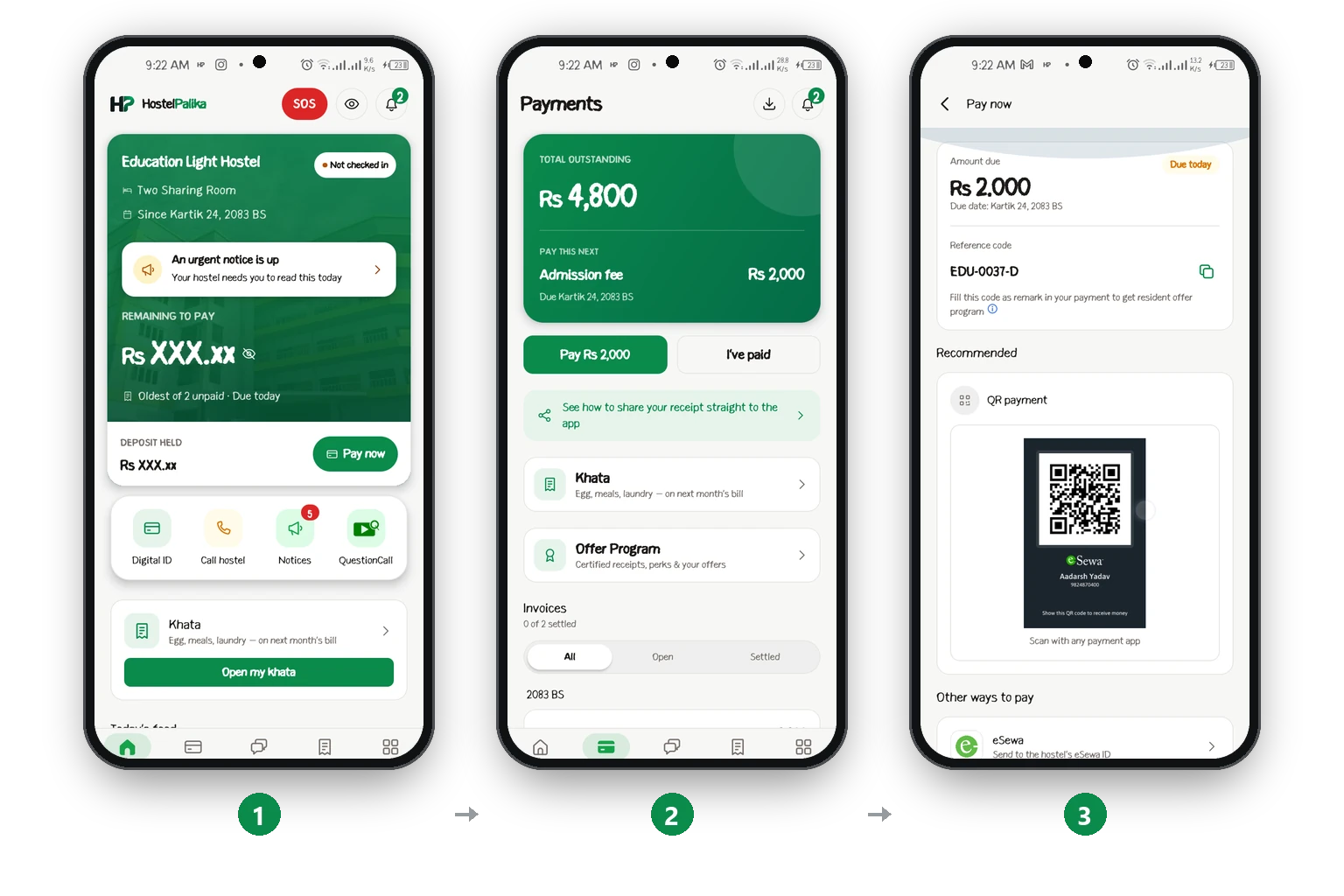
Send your payment receiptपेमेन्टको रसिद पठाउने
Upload the screenshot so the hostel can confirm your payment.स्क्रिनसट अपलोड गर्नुहोस्, अनि होस्टलले तपाईंको पेमेन्ट कन्फर्म गर्छ।
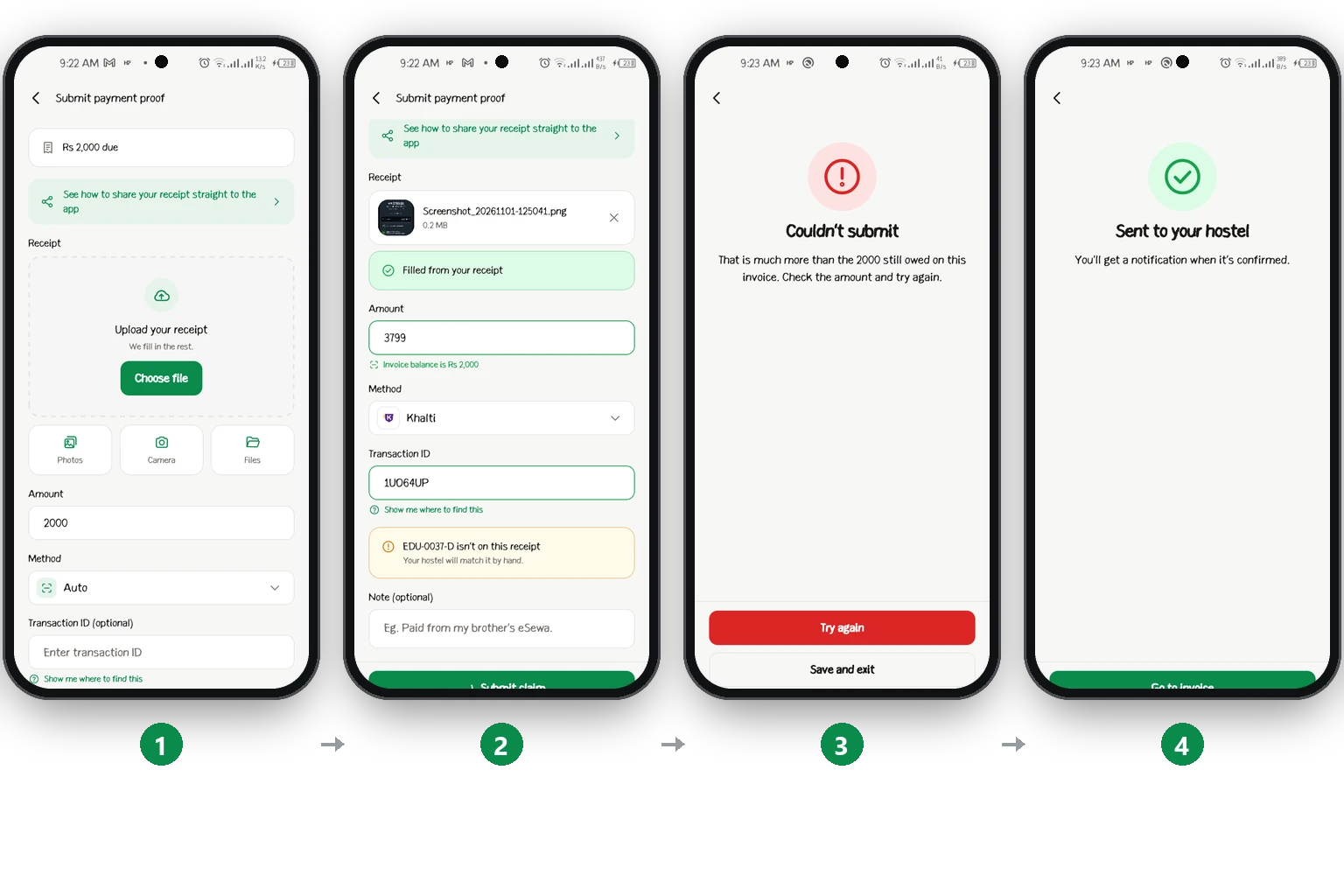
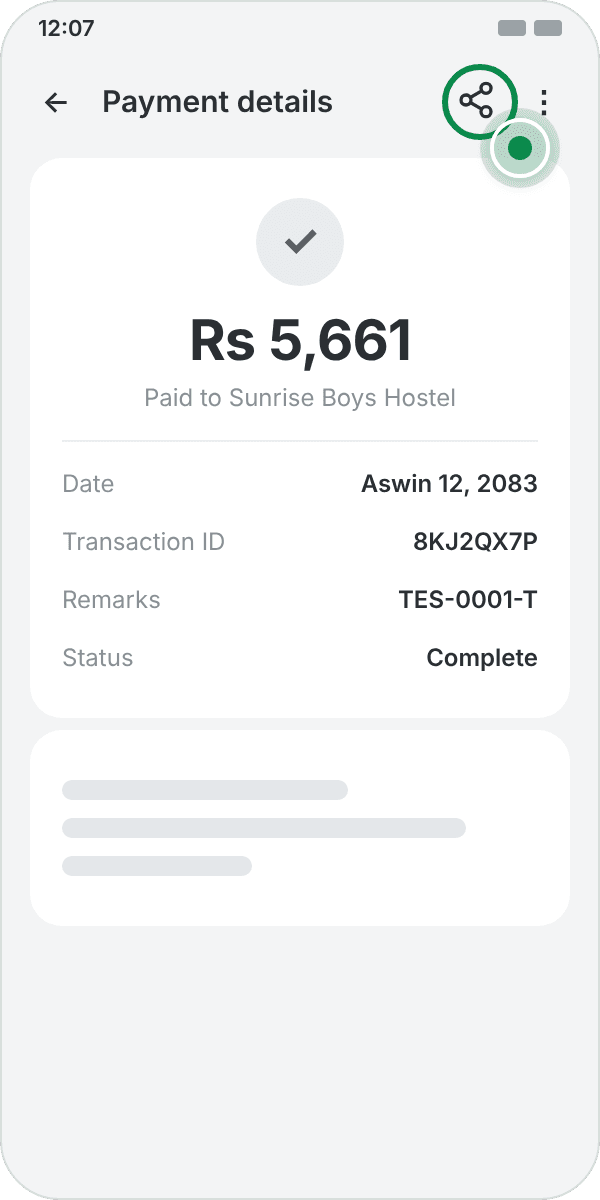
1. Open the payment in your bank or wallet app. Tap Share.
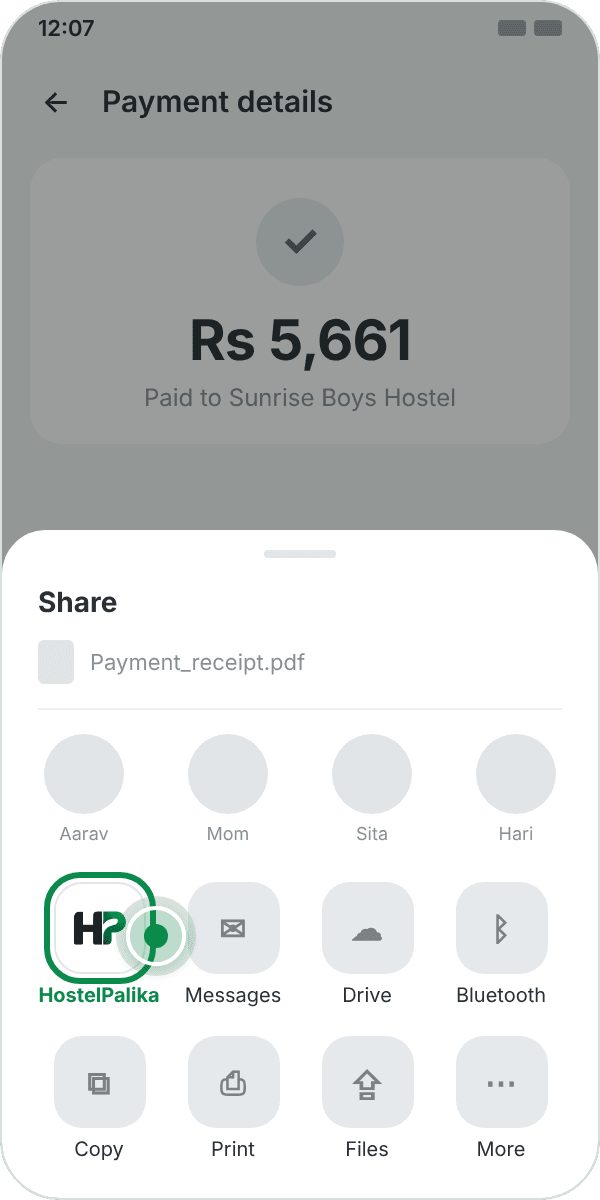
2. Pick HostelPalika.
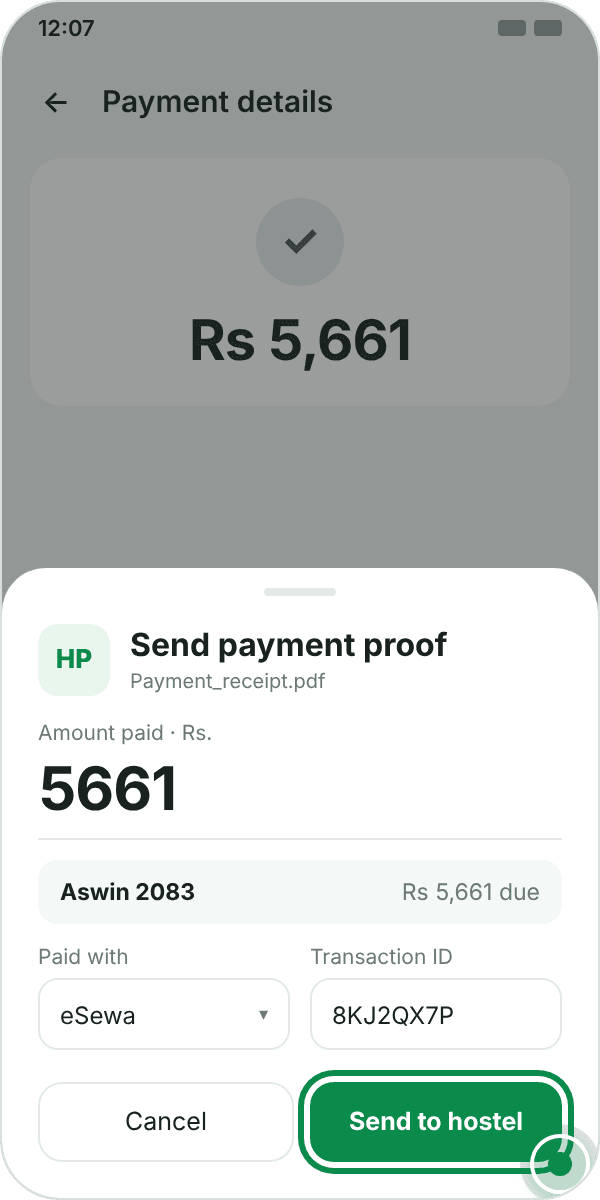
3. Check the amount and month. Tap Send to hostel.
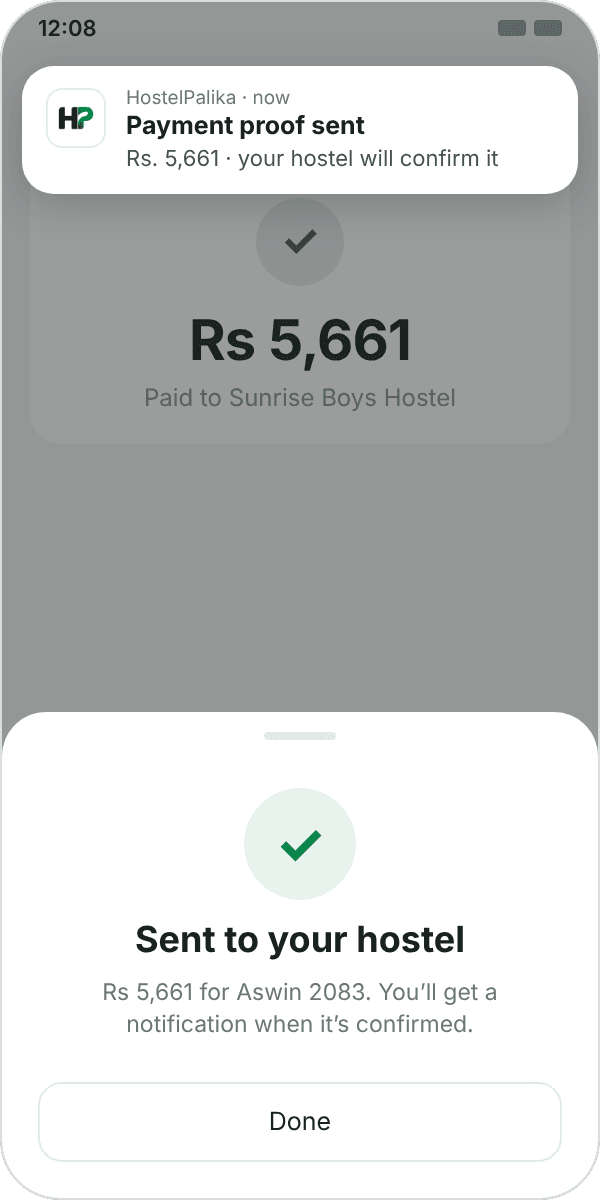
4. Done. You'll get a notification when it's confirmed.
Your month codeतपाईंको महिना कोड
A short code that tells the hostel who paid, and for which month.कसले र कुन महिनाको तिर्यो भनेर होस्टललाई बताउने छोटो कोड।
Your month code is a short code that is only yours. You get it with every bill.
The first part is you, and it never changes. The last part is the month and the year, so it changes every month.
Type the code in the remarks when you pay. Then the hostel knows who paid, and for which month.
Two examples. Bhadra 2083: RUP-482K-BHA83. The next month, Ashwin 2083: RUP-482K-ASW83.
महिना कोड तपाईंको मात्र हुने छोटो कोड हो। हरेक बिलसँग यो आउँछ।
पहिलो भाग तपाईं हो, र यो कहिल्यै फेरिँदैन। अन्तिम भाग महिना र साल हो, त्यसैले यो हरेक महिना फेरिन्छ।
तिर्दा कोड remarks मा लेख्नुहोस्। अनि कसले र कुन महिनाको तिर्यो, होस्टलले थाहा पाउँछ।
दुई उदाहरण. भदौ २०८३: RUP-482K-BHA83। अर्को महिना, असोज २०८३: RUP-482K-ASW83।
Credit scoreक्रेडिट स्कोर
Pay early and get more points.चाँडो तिर्नुहोस्, धेरै पोइन्ट पाउनुहोस्।
You get points each time you pay a bill. The earlier in the month you pay, the more points you get.
Points count from the day you send the receipt, not the day the hostel approves it.
Each bill gives points only once. A rejected receipt gives no points.
Residents with more points are first in line for gifts and fee discounts in the Resident Offer Program.
How many points. Day 1 to 4 of the month: 10 points. Day 5 to 7: 8 points. Day 8 to 15: 5 points. After that: 2 points.
बिल तिर्दा हरेक पटक पोइन्ट पाउनुहुन्छ। महिनामा जति चाँडो तिर्नुभयो, त्यति धेरै पोइन्ट।
पोइन्ट तपाईंले रसिद पठाएको दिनबाट गनिन्छ, होस्टलले अप्रुभ गरेको दिनबाट होइन।
एउटा बिलले एक पटक मात्र पोइन्ट दिन्छ। रिजेक्ट भएको रसिदले पोइन्ट दिँदैन।
धेरै पोइन्ट हुने रेजिडेन्टले Resident Offer Program मा गिफ्ट र फी डिस्काउन्ट पहिले पाउँछन्।
कति पोइन्ट. महिनाको १ देखि ४ गते: १० पोइन्ट। ५ देखि ७ गते: ८ पोइन्ट। ८ देखि १५ गते: ५ पोइन्ट। त्यसपछि: २ पोइन्ट।
Pay at the officeअफिसमा तिर्ने
Pay the warden with cash or a QR.वार्डेनलाई क्यास वा QR बाट तिर्नुहोस्।
You can also pay at the hostel office.
Give cash to the warden. Or scan the warden's QR with eSewa, Khalti or your bank app.
The warden ticks the months you paid. You get a receipt in the app, and your points.
Your points count from the day the warden records the payment.
होस्टलको अफिसमा पनि तिर्न सक्नुहुन्छ।
वार्डेनलाई क्यास दिनुहोस्। वा eSewa, Khalti वा बैंकको एपले वार्डेनको QR स्क्यान गर्नुहोस्।
वार्डेनले तपाईंले तिरेका महिनामा टिक लगाउँछन्। तपाईंलाई एपमा रसिद र पोइन्ट आउँछ।
वार्डेनले पेमेन्ट रेकर्ड गरेको दिनबाट तपाईंको पोइन्ट गनिन्छ।
The More menuMore मेनु
Guardians, complaints, night status and SOS.गार्डियन, कम्प्लेन, रातको हाजिरी र SOS।
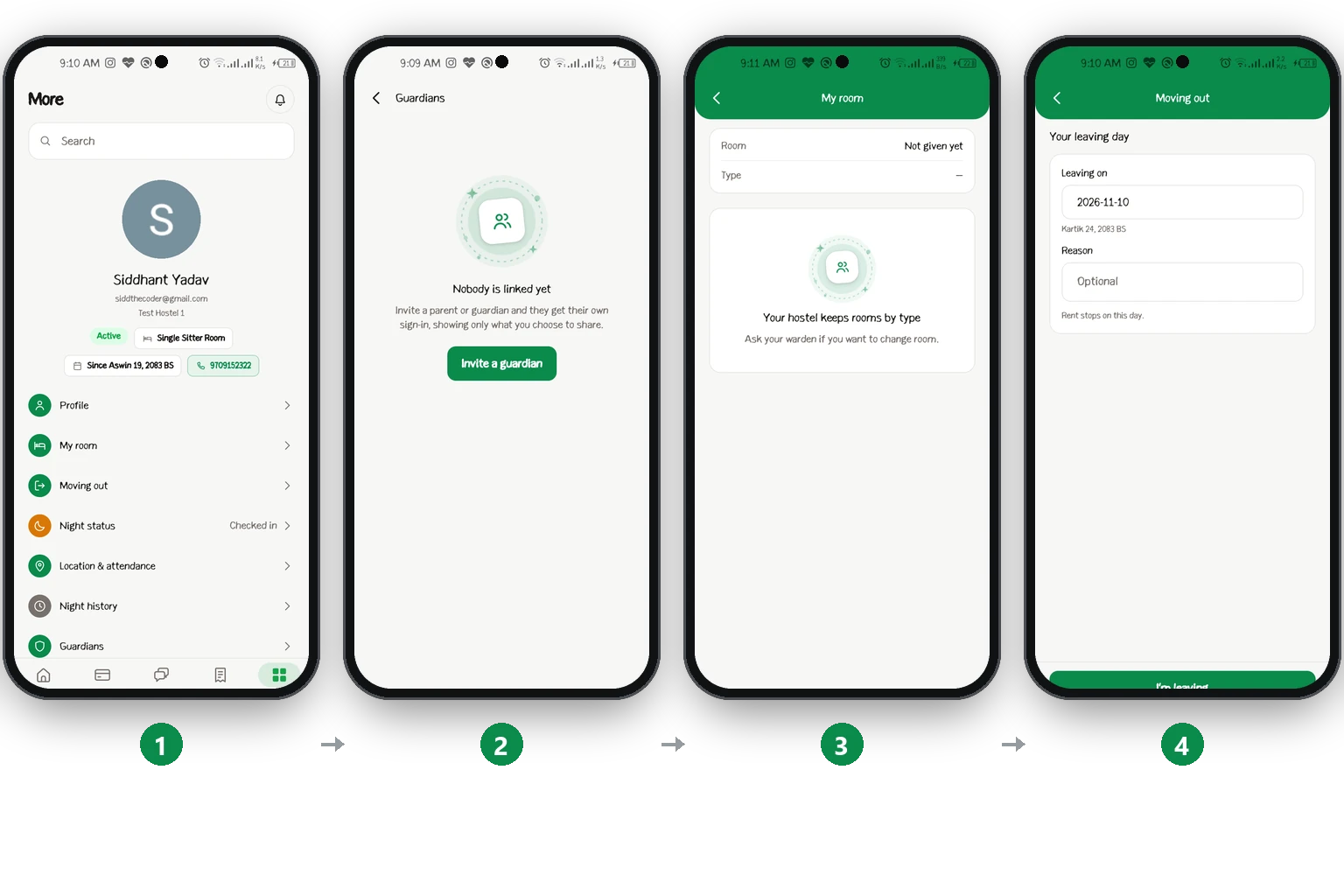
Night statusरातको हाजिरी
Tell the hostel if you are in or out tonight.आज रात भित्र कि बाहिर, होस्टललाई भन्नुहोस्।
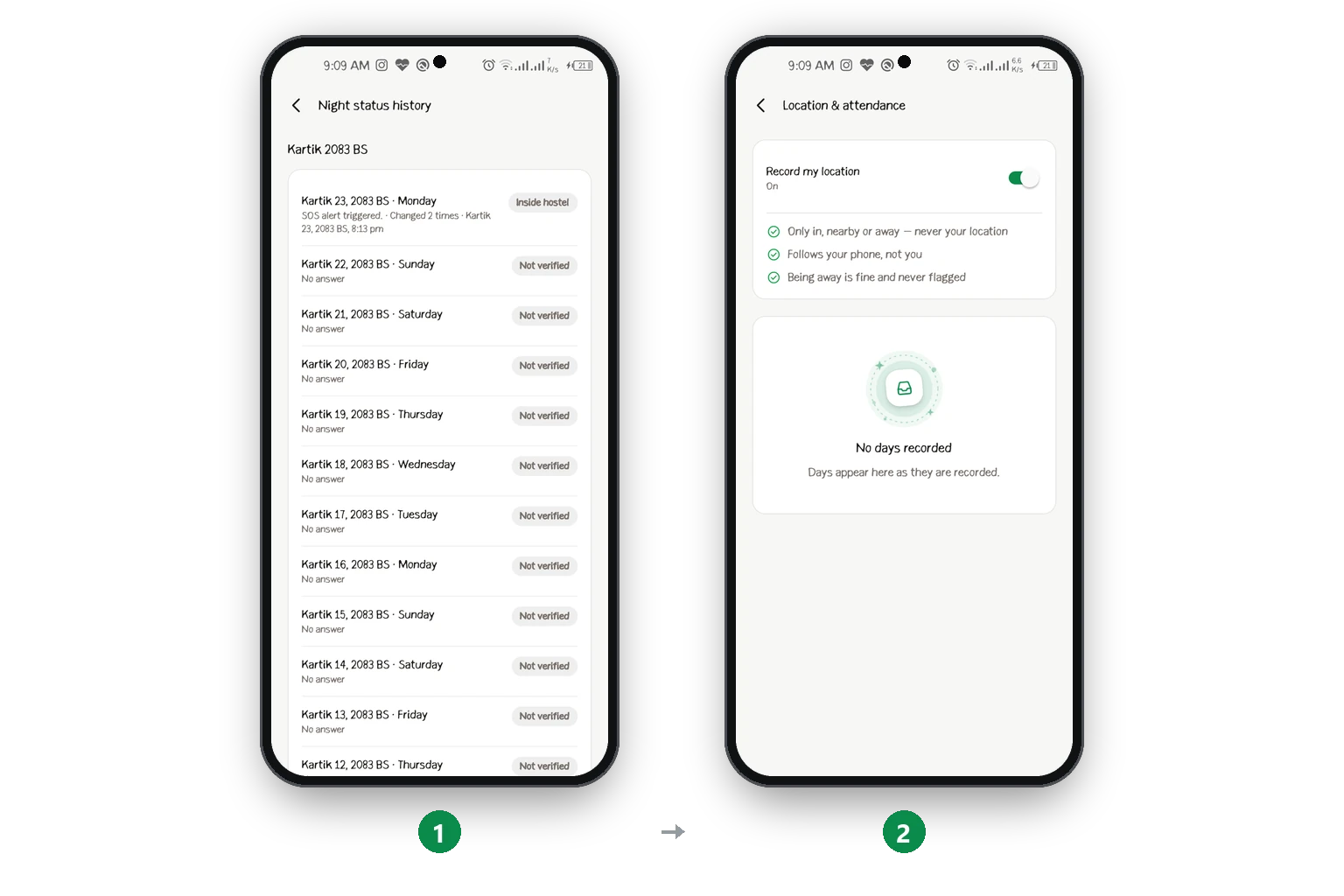
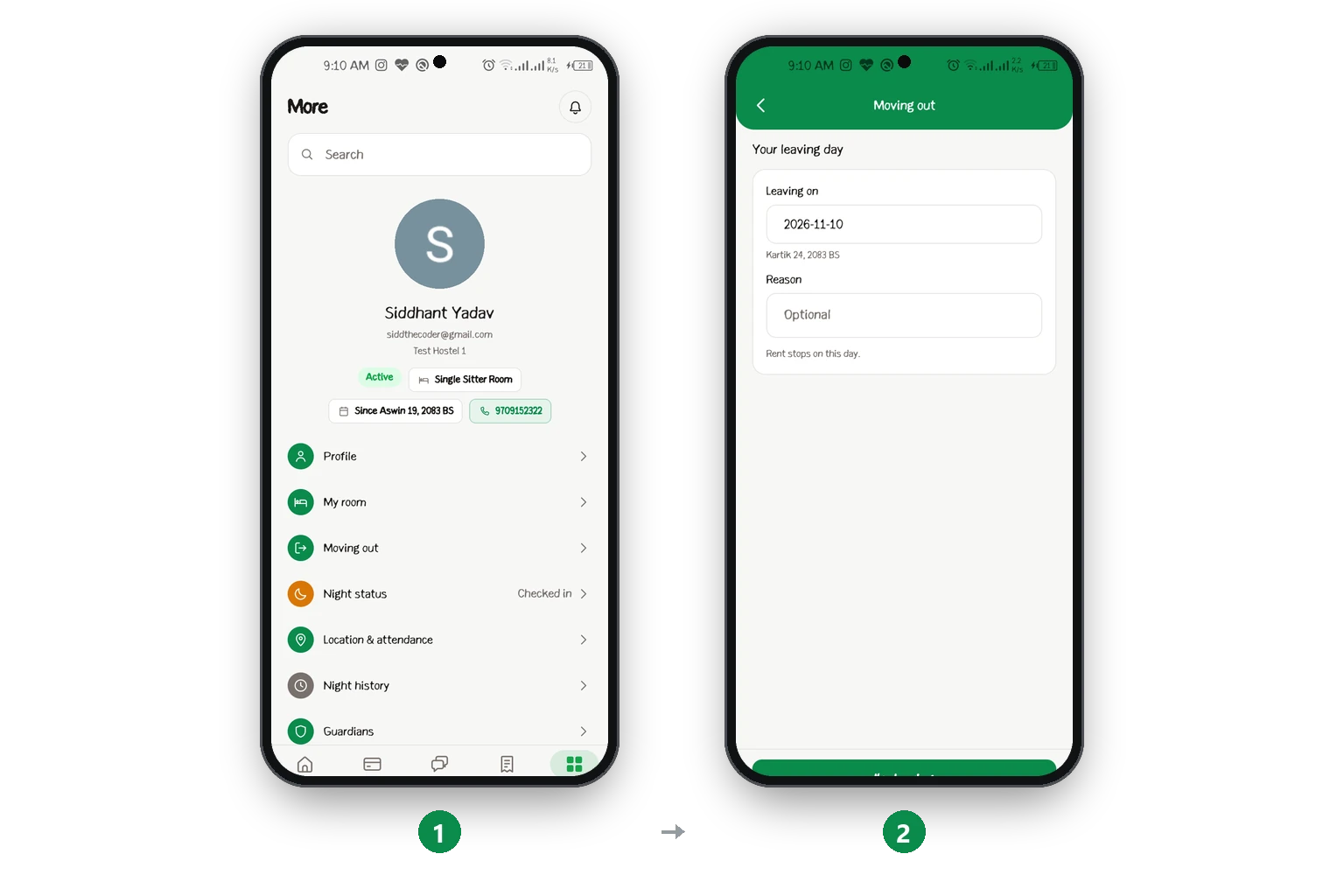
Move outहोस्टल छोड्ने
Tell the hostel your last day. Rent stops on that day.होस्टललाई आफ्नो अन्तिम दिन भन्नुहोस्। त्यही दिन भाडा रोकिन्छ।
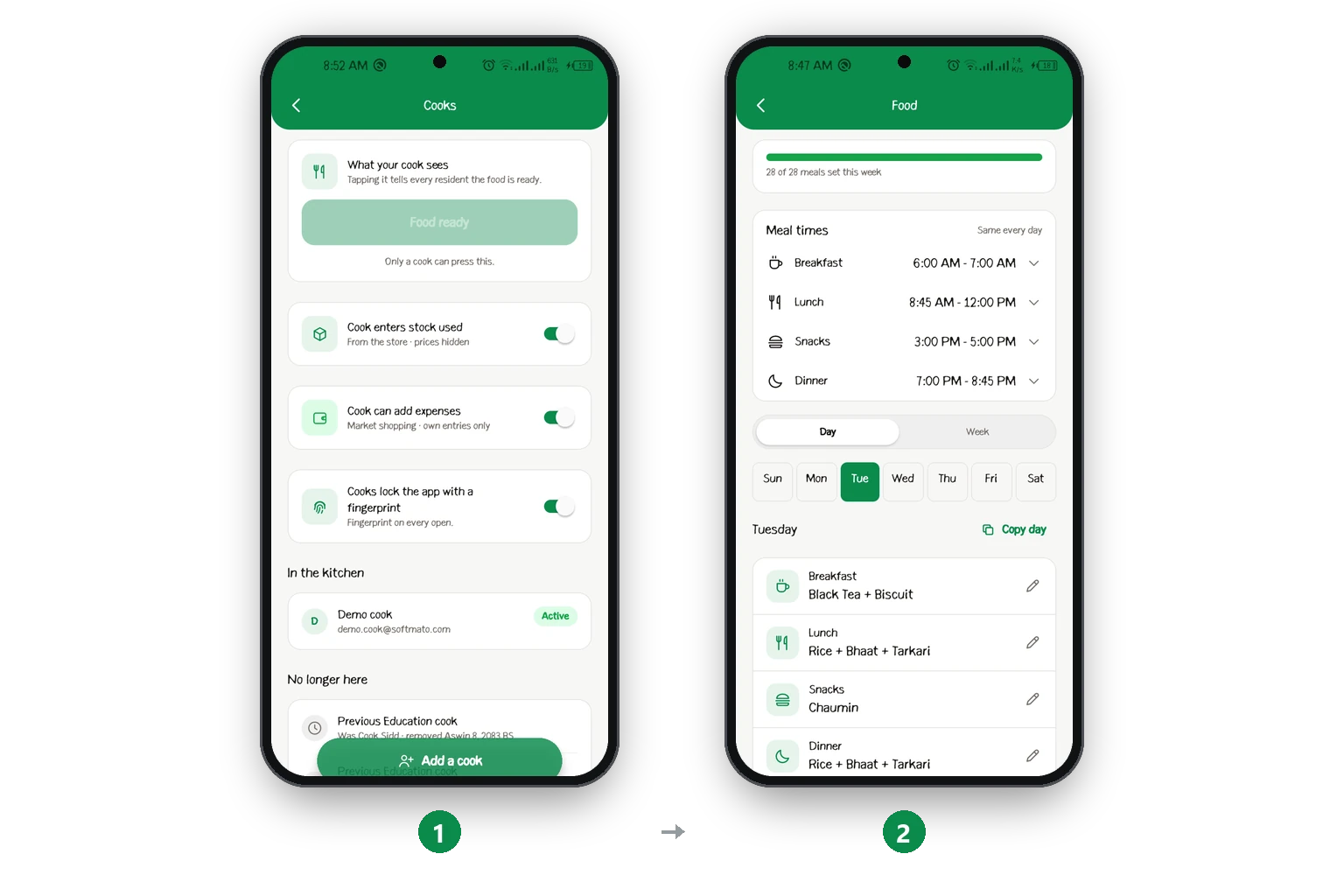
The cook's screensकुकका स्क्रिन
Today's meals, the menu, photos and khata.आजको खाना, मेनु, फोटो र खाता।
The guardian's screensगार्डियनका स्क्रिन
See your child's fees and safety.आफ्नो छोराछोरीको फी र सेफ्टी हेर्नुहोस्।
Your child invites you from their app. You get your own login.
Fee Summary shows what is due and what is paid. Safety Summary shows night status and any SOS. You also see notices, the food menu and the hostel's emergency contact.
तपाईंको छोराछोरीले आफ्नो एपबाट तपाईंलाई इन्भाइट गर्छन्। तपाईंको आफ्नै लगइन हुन्छ।
Fee Summary मा कति बाँकी र कति तिरियो देखिन्छ। Safety Summary मा रातको हाजिरी र कुनै SOS देखिन्छ। नोटिस, खानाको मेनु र होस्टलको इमर्जेन्सी कन्ट्याक्ट पनि देखिन्छ।
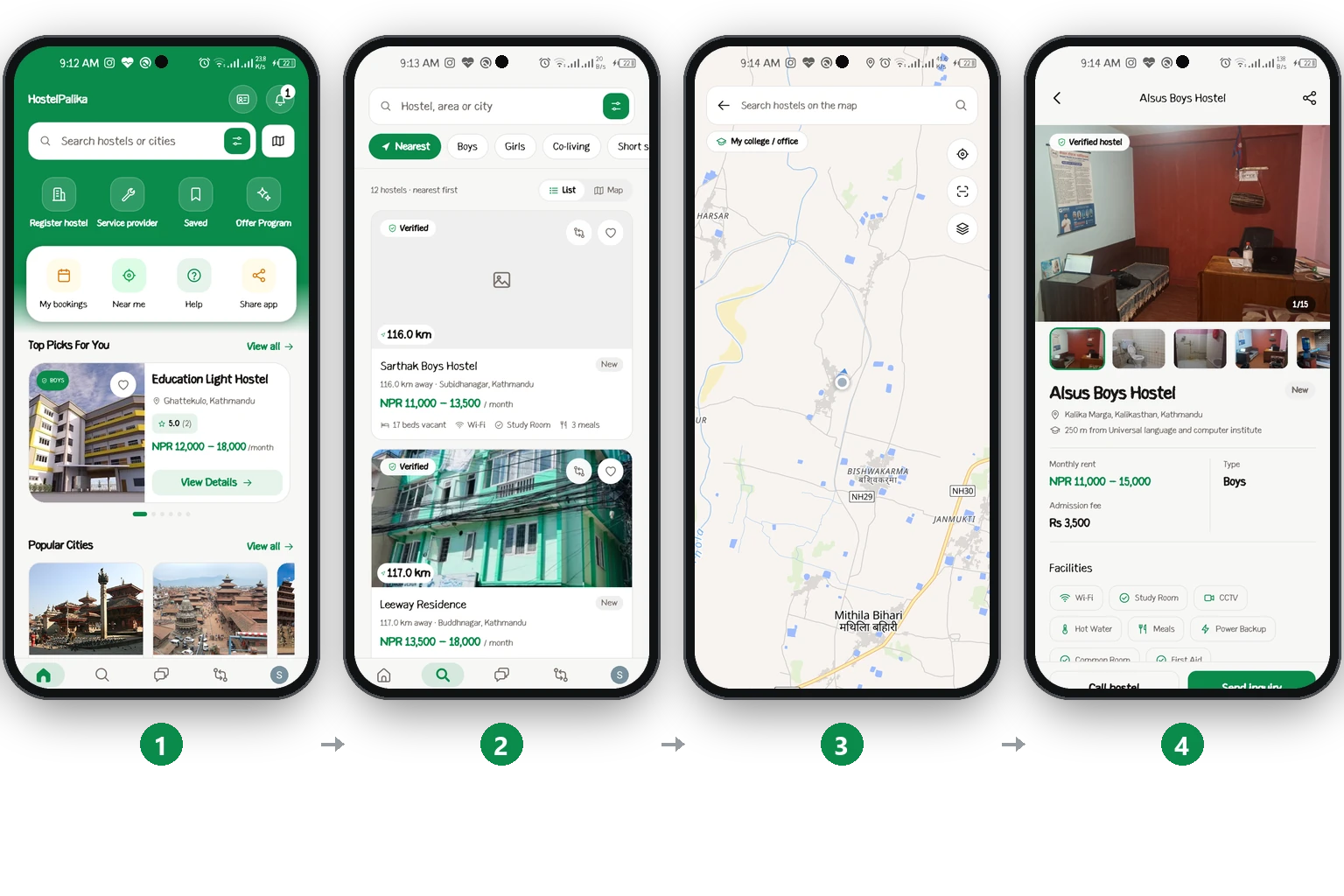
Find a hostelहोस्टल खोज्ने
Search for a hostel, and carry your ID card in the app.होस्टल खोज्नुहोस्, र एपमा आफ्नो ID कार्ड बोक्नुहोस्।
Who can do whatकसले के गर्न सक्छ
One table for every role and every part of the app.हरेक रोल र एपको हरेक भागको एउटै टेबल।
| Areaकाम | ownerमालिक | wardenवार्डेन | residentरेजिडेन्ट | guardianगार्डियन | cookकुक |
|---|---|---|---|---|---|
| Rooms & ratesकोठा र भाडा | Editफेर्ने | Editफेर्ने | —— | —— | —— |
| Residentsरेजिडेन्ट | Editफेर्ने | Editफेर्ने | Ownआफ्नो | —— | —— |
| Bills & paymentsबिल र पेमेन्ट | Editफेर्ने | If allowedपर्मिसन भए | Payतिर्ने | Viewहेर्ने | —— |
| Expenses & reportsखर्च र रिपोर्ट | Editफेर्ने | If allowedपर्मिसन भए | —— | —— | Ownआफ्नो |
| Foodखाना | Editफेर्ने | Editफेर्ने | Viewहेर्ने | Viewहेर्ने | Editफेर्ने |
| Night status & SOSरातको हाजिरी र SOS | Viewहेर्ने | Viewहेर्ने | Sendपठाउने | Viewहेर्ने | —— |
| Complaintsकम्प्लेन | Editफेर्ने | Editफेर्ने | Raiseभन्ने | —— | —— |
| Noticesनोटिस | Postपठाउने | Postपठाउने | Viewहेर्ने | Viewहेर्ने | Viewहेर्ने |
| Staff & planस्टाफ र प्लान | Editफेर्ने | —— | —— | —— | —— |
Fix a problemसमस्या समाधान
Common problems, and how to fix them.धेरै आउने समस्या, र तिनको समाधान।
- I cannot find a screenस्क्रिन भेटिनँ
- Your role is not allowed to use it. Ask the hostel owner to turn it on for you in Wardens.तपाईंको रोलमा यो चलाउन मिल्दैन। होस्टल मालिकलाई Wardens मा तपाईंको लागि अन गरिदिन भन्नुहोस्।
- I paid, but my bill still shows as dueतिरेँ, तर बिल अझै बाँकी देखिन्छ
- A bank or QR payment is marked paid only after the staff approve your screenshot. An eSewa or Khalti payment made inside the app is marked paid at once.बैंक वा QR को पेमेन्ट स्टाफले तपाईंको स्क्रिनसट अप्रुभ गरेपछि मात्र paid हुन्छ। एपभित्रैबाट eSewa वा Khalti ले गरेको पेमेन्ट तुरुन्तै paid हुन्छ।
- I could not send my payment receiptपेमेन्टको रसिद पठाउन सकिनँ
- The amount on your screenshot is much more than you owe. Check the amount, or pay the bill that the amount belongs to.स्क्रिनसटको रकम तपाईंको बाँकीभन्दा धेरै बढी छ। रकम चेक गर्नुहोस्, वा त्यो रकम जुन बिलको हो त्यही बिल तिर्नुहोस्।
- I cannot sign inसाइन इन गर्न सकिनँ
- Tap Forgot password on the sign-in screen. If you forgot your PIN, tap Forgot PIN?. We send a code to your email.साइन इन स्क्रिनमा Forgot password थिच्नुहोस्। PIN बिर्सनुभयो भने Forgot PIN? थिच्नुहोस्। हामी इमेलमा कोड पठाउँछौं।
- I do not get notificationsनोटिफिकेसन आउँदैन
- Open Settings → Notifications in the app and turn them on. Also allow notifications for the app in your phone's settings.एपमा Settings → Notifications खोलेर अन गर्नुहोस्। फोनको सेटिङमा पनि एपलाई नोटिफिकेसन पठाउन दिनुहोस्।
- My hostel does not show on the websiteमेरो होस्टल वेबसाइटमा देखिँदैन
- Your hostel's KYC is not approved yet. Finish Hostel KYC and wait for the approval email.तपाईंको होस्टलको KYC अझै अप्रुभ भएको छैन। Hostel KYC पूरा गर्नुहोस् र अप्रुभ भएको इमेल पर्खनुहोस्।
Last updatedपछिल्लो अपडेट 10 November 2026